MicroDuck: A Bipedal Robot with Feetech Servos
(First Edition)
Building on the open-source MicroDuck released by Pollen Robotics, this book presents a reproducible, low-cost bipedal-robot engineering pipeline for China's domestic supply chain: from MJCF reverse engineering and automated Onshape → MJCF dynamic modeling, through bench identification of the HD1910 serial-bus servo using a Bandwidth-Aware Motor (BAM) model, to PPO policy training with extended domain randomization and curriculum learning, and finally to 50 Hz on-device inference on the RK3566 and closed-loop iteration on the physical robot. Together, these cover the full-stack engineering loop of CAD → dynamics → actuation → simulation → hardware.
Preface
Reading Entry Points
- Online book (English edition): https://unitclaw.github.io/microduck-wwduck/en/
- 中文版(Chinese edition): https://unitclaw.github.io/microduck-wwduck/
- Book source repository: https://github.com/UnitClaw/microduck-wwduck (the
book/Chinese andbook-en/English directories, written in mdbook and compiled into a web book on every commit)
Every chapter in this book is bound to a specific commit hash in the companion engineering repository, so readers can check out the corresponding version and fully reproduce each experiment. Each chapter has two entry points in its upper-right corner: the 📝 "edit" icon, which jumps to that chapter's source file, and the Octocat icon, which jumps to the repository home.
Chapter ↔ Repository Resource Mapping
Each chapter maps to concrete engineering resources in the repository; click to jump to the source code, drawings, bills of materials, and logs:
| Book Chapter | Corresponding Repository Resource |
|---|---|
| Parts Store | PARTS.md · Official Store |
| Minimal Simulation Demo | software/training/ |
| CAD Model Analysis | cad/ · CAD repo |
| Onshape → MJCF | scripts/ |
| 3D Printing & Assembly | print/ · BOM.md |
| Hardware Circuits & Bus | hardware/ |
| RK3566 Image & Firmware | software/image/ · software/studio/ |
| Servo / IMU Calibration | tools/ |
| Simulation & Training | software/training/ |
| ONNX Deployment | software/studio/ |
| Real-Robot Gait | software/ |
| Engineering & Open Source | NOTICE.md · LICENSE |
| BOM | BOM.md |
| Troubleshooting | 踩坑记录.md |
Reverse entry points on the repository side: the repository
README.mdcarries the online-book link and the parts-store entry at the top; documents such asPARTS.mdandBOM.mdalso reference their corresponding book chapters.
Core Engineering Highlights (Key Innovations of This Book)
Building on the community microduck-replica project, this book completes six engineering loops that constitute the key innovations relative to both the original Pollen robot and the community replica:
Highlight 1 — Automated Onshape → MJCF Pipeline (on par with Pollen's original)
A complete reproduction of Pollen's original Onshape → MJCF automated workflow: starting from the full-assembly STEP import, the pipeline automatically computes each link's mass, center of mass, and inertia tensor, and uses validate_mjcf.py to automatically validate the inertia tensor, joint limits, and total mass — eliminating the Sim2Real bias introduced by the replica's manual inertia estimation.
See Automated Onshape→MJCF Modeling · Deliverables:
scripts/cad2mjcf/export_mjcf.py+validate_mjcf.py
Highlight 2 — Bench Identification of the HD1910 Servo Using a BAM Model
Performs bench-based identification of the Feetech HD1910 to fit the full BAM (Bandwidth-Aware Motor) parameter set — bandwidth, viscous friction, Coulomb friction, rotor inertia, and backlash — resolving the Sim2Real bias caused by the original replica's use of empirically guessed parameters.
See Servo and IMU Calibration and BAM Actuator Modeling and Identification · Deliverable:
scripts/calibration/hd1910_bench_data_process.py
Highlight 3 — Extended Domain Randomization + Curriculum Learning
Extends the baseline domain randomization with an eight-dimensional parameter set (mass, friction, torque, bandwidth, backlash, IMU noise, ground friction, gravity) combined with curriculum learning that progresses from standing to walking, turning, and climbing; ablation studies compare the real-robot transfer success of different randomization strategies.
See Domain Randomization and PPO Multi-Task Training · Deliverables: the
domain_randextended parameter set + curriculum scheduling logic
Highlight 4 — Automatic Validation Between Simulated Observation Space and On-Device Firmware
Provides an automatic validation script that cross-checks the simulation observation space against the on-device Rust firmware, comparing the dimension, scaling, and ordering of observations/actions in one step, thereby eliminating the most common hidden Sim2Real bugs caused by dimension or scaling mismatches.
See RK3566 Image and Firmware and Policy Deployment and On-Device Inference · Deliverable:
scripts/validation/check_obs_act_space.py
Highlight 5 — A Complete Experiment-Management System (Reproducible)
Establishes a standardized experiment-management system: every training run saves config.yaml, an MJCF snapshot, BAM parameters, training logs, and TensorBoard curves, so any experiment can be reproduced and traced one-to-one.
See Engineering Practices and Open-Source Compliance · Deliverable: the
experiments/directory convention (config / mjcf / bam_params / logs / readme)
Highlight 6 — Docker-Locked Dependency Versions
Uses Docker to pin CUDA, Python, MuJoCo-Warp, mjlab, and other dependency versions, eliminating the "works locally, fails elsewhere" environment problem and enabling one-command reproduction of the training environment.
See Minimal Simulation Example and Engineering Practices and Open-Source Compliance · Deliverables:
Dockerfile+requirements-lock.txt
Why This Book
In 2025, Pollen Robotics — a robotics team under Hugging Face — open-sourced MicroDuck, a bipedal robot duck trained with Sim2Real reinforcement learning. Its core paradigm is to train the robot's policy in a GPU simulation and deploy it directly to real hardware, with no traditional gait planning required.
The original MicroDuck uses Dynamixel servos and is sold internationally on pre-order; it cannot be shipped directly to mainland China, and at 399 USD plus forwarding and customs fees, it is difficult for hobbyists and domestic university labs to obtain. The community responded with the microduck-replica project, which ports MicroDuck's mechanical structure to the domestic Feetech HD1910 bus servo.
The original replica, however, has clear shortcomings:
- The MJCF dynamics model relies on manually estimated link inertias and centers of mass, producing a large gap between simulation and hardware that makes Sim2Real transfer difficult;
- The HD1910 BAM parameters are empirically guessed, with no bench-based calibration procedure;
- There is no standardized experiment management, so training configs, models, and logs are scattered and hard to reproduce;
- There is no one-command containerized environment, and CUDA, Warp, and mjlab version dependencies collide easily;
- There is no complete engineering troubleshooting log, so readers have no systematic way to handle falling in simulation, hardware jitter, servo packet loss, and similar problems.
The goal of this book is to complete this engineering loop: to fully reproduce Pollen's Onshape→MJCF automated workflow and to land bench-based HD1910 BAM identification, domain randomization, curriculum learning, and RK3566 on-device deployment, forming a reproducible, low-cost, domestic-servo MicroDuck full-stack engineering practice.
This book is neither a purely theoretical reinforcement-learning textbook nor a simple parts-assembly manual. It is an engineering practice log: it contains successful experiments, failed attempts, parameter ablation comparisons, and diagnoses of the gap between simulation and hardware.
Intended Audience
- Graduate and undergraduate students in robotics, embodied intelligence, and reinforcement learning;
- Robotics-lab engineers at universities and open-source-hardware enthusiasts;
- Developers who want to get started with Sim2Real, MuJoCo-Warp, and low-cost bipedal RL robots.
Recommended reading path:
- First run [Minimal Simulation Demo], launching the simulation with one Docker command to see the robot duck's simulated gait;
- After understanding the overall Sim2Real chain, read the mechanical CAD, 3D printing, and hardware assembly chapters;
- Advanced readers should go deep into the BAM model, system identification, and domain-randomization ablation experiments.
The Full Technical Chain
STEP assembly → Onshape cloud CAD (assign part densities, override servo masses) → onshape-to-robot MJCF export → MuJoCo-Warp GPU simulation → BAM servo model (bench-identified HD1910 parameters) → domain randomization + curriculum-learning PPO multi-task training → ONNX policy export → RK3566 Rust firmware 50 Hz real-time inference → real-robot IMU/joint data collection → system identification to correct the dynamics model → iterative retraining
Join the Community

Scan to join · valid until 2026-10-31
Join our WeChat community to share replication experience, report corrections, and help build the domestic open-source ecosystem for low-cost bipedal robots.
⚠️ The WeChat group QR code expires automatically after 7 days (this image is valid until 2026-10-31). After expiry, visit https://www.wwntai.com/parts.html for the latest QR code, or open a GitHub issue to update it.
Open-Source Licensing Boundaries (Please Read)
- The prose of this book: CC-BY 4.0 — free to read and share, with attribution required when quoting;
- Upstream software code: Apache 2.0;
- Mechanical CAD models: CC BY-NC-SA — non-commercial study and research only.
If a commercial product is required, the mechanical structure must be independently designed from scratch, independent of this CAD model set.
The companion engineering repository hosts all code, scripts, experiment records, Docker configuration, and book source on GitHub; every chapter is bound to a repository commit hash, so you can check out the corresponding version and ensure the code matches the book exactly.
Copyright and Disclaimer
Copyright
The copyright in this book (including its text, figures, code snippets, and companion documents) belongs to Guangdong WWNT Robotics Co., Ltd. (WWNT Robotics; open-source ecosystem on GitHub: UnitClaw).
Copyright © WWNT Robotics (Guangdong WWNT Robotics Co., Ltd.) All rights reserved.
Unless otherwise noted, the book's prose is licensed under CC-BY 4.0 (free to read and quote, with attribution); upstream code is under Apache-2.0, and the mechanical CAD models are under CC BY-NC-SA (non-commercial study and research only).
Limitation of Liability (Please Read)
This book is an open-source engineering-practice record. Some technical material (simulation parameters, BAM identification results, firmware configuration, assembly tolerances, etc.) derives from specific hardware batches and experimental environments and has not all been fully validated on physical hardware. Hardware assembly, circuit wiring, and power-on debugging inherently carry risks of short circuits, damage, and mechanical injury; an intrinsic gap always exists between the simulation model and the real robot, and directly copying the settings may not produce stable walking; servo, mainboard, and sensor parameters vary with batch, firmware version, power supply, and load conditions.
Accordingly, WWNT Robotics assumes no responsibility for any experimental failure, property loss, or personal injury arising from a reader's direct replication of this book's contents. Please validate progressively in a safe environment — simulation first, then bench, then the physical robot — and ensure power isolation and protection. By using this book, you acknowledge and accept the risks and limitations of liability described above.
Intellectual Property and Infringement
- This project is an independent third-party replication study of Pollen Robotics' open-source MicroDuck; it is not affiliated with, authorized by, endorsed by, or sponsored by Pollen Robotics. The "MicroDuck" name and related trademarks and brands belong to their respective owners.
- This book and its companion repository are provided solely for educational, research, and non-commercial open-source study and do not constitute an authorized use of any upstream commercial product, trademark, or patent.
- If a reader pursues commercial activity based on this book, they must independently design the mechanical structure from scratch (independent of this CAD model set) and perform their own compliance review and obtain any necessary authorization regarding the intellectual property, trademarks, and patents of the relevant rights holders.
- WWNT Robotics assumes no responsibility for any dispute or loss arising from unauthorized commercialization, infringing use, or failure to obtain necessary authorization.
Acknowledgments
Thanks to Pollen Robotics for open-sourcing MicroDuck, mjlab, and microduck_rl; to fanhao375 for open-sourcing microduck-replica and microduck-replica-cad; to Feetech for the HD1910 servo hardware and technical documentation; and to all open-source community developers.
For the full company introduction and acknowledgments (Pollen, Feetech, fanhao375, 机械行者Robo, kissqy, LuwuDynamics, Rhoban, and others), see the [Acknowledgments] chapter at the end of the book.
This book is under continuous iteration, and the engineering experiments are updated as they evolve; corrections and suggestions are welcome via GitHub Issues.
Introduction: Pollen MicroDuck and Open-Source Embodied Intelligence
Learning objectives: understand what MicroDuck is, how the Sim2Real paradigm operates, why the original is difficult to obtain in China, and the rationale behind the community replica's servo selection.
1.1 An Open-Source Robot Duck That Can Walk
In 2025, Pollen Robotics — a robotics team under Hugging Face — open-sourced a bipedal robot duck named MicroDuck. It is compact (≈0.7 kg) and affordable, but its core value lies not in the hardware itself but in how it moves: a gait trained via reinforcement learning.
Traditional quadrupedal/bipedal robots (such as Spot and Atlas) rely on complex kinematic planning: first build a precise dynamics model, then solve joint torques frame by frame. MicroDuck takes a completely different route:
- In a GPU simulation environment (MuJoCo-Warp), a "digital duck" falls and walks randomly;
- A PPO reinforcement-learning algorithm, guided by a reward function, teaches it to stand, walk, and self-recover from falls;
- The trained policy is exported as an ONNX model and deployed directly onto the physical duck's "brain" (an RK3566 board);
- The physical duck reads IMU and joint angles at 50 Hz, runs ONNX inference to obtain target servo positions, and closes the control loop.
This is the complete Sim2Real (simulation-to-reality) loop. It does not require engineers to hand-design gaits; it only requires a well-designed reward function and simulation environment.
1.2 Why "Simulate First, Deploy Later" Is a Paradigm Shift
| Dimension | Traditional gait planning | Sim2Real reinforcement learning |
|---|---|---|
| Modeling cost | Requires a precise dynamics model; error-sensitive | Uses domain randomization to tolerate model error |
| Source of gait | Hand-designed by engineers | Discovered automatically by the algorithm |
| Disturbance robustness | Depends on precise feedback; fragile | Has seen various disturbances in training; robust |
| Complex terrain | Hard to plan by hand | Guided by the reward function |
The essence of Sim2Real is not "simulation" itself but how to close the gap between simulation and reality — the central problem this book revisits from Automated Onshape→MJCF Modeling through The Sim2Real Closed-Loop Iteration.
1.3 Why the Original Is Hard to Buy in China
The original MicroDuck uses Dynamixel XL330 servos with an official pre-order price of 399 USD. The more critical constraint is the supply chain:
- Official direct-shipping regions: US, Canada, EU, UK, Norway, Switzerland, Japan, South Korea;
- Mainland China is not on the direct-shipping list, requiring freight forwarding or proxy ordering;
- 399 USD plus international shipping, tariffs, and customs clearance makes the actual landed cost significantly higher than the list price;
- New orders have an estimated 4–6 month wait.
These real-world constraints make it hard for domestic hobbyists and university labs to obtain an original robot duck at low cost. A domestic replica therefore becomes an engineering proposition of genuine value.
1.4 Servo Selection for the Domestic Replica: Why the Feetech HD1910
The original's core actuator is the Dynamixel XL330, a serial-bus servo. Domestic alternatives fall into two main categories:
| Servo | Type | Torque @ 4.8 V | Weight | Communication | Price range |
|---|---|---|---|---|---|
| Dynamixel XL330 | Magnetic-encoder bus servo | ~6.5 kg·cm | ~16 g | TTL | High |
| Feetech HD1910 | Magnetic-encoder TTL bus servo | 9 kg·cm | 21±2 g | TTL | Low |
Key specifications of the Feetech HD1910:
- Model: HD-1910-C001, dual-shaft magnetic-encoder TTL bus servo, coreless motor, metal gears;
- Operating voltage: 4.8–8.4 V;
- Stall torque: 9 kg·cm @ 4.8 V;
- No-load speed: 0.137 sec/60° (≈73 RPM) @ 4.8 V;
- Weight: 21±2 g;
- Communication: TTL bus, baud rate up to 1 Mbps, 360° magnetic encoder, multi-turn position readout.
⚠️ Selection warning: the torque, friction, bandwidth, and backlash parameters of domestic servos differ dramatically from the original. The original's pre-trained gait model cannot be directly transplanted; the servo model must be re-calibrated and the policy retrained (see BAM Actuator Modeling and Identification).
1.5 The Community Replica Landscape
| Repository | Nature | Servo | Companion assets |
|---|---|---|---|
pollen-robotics/microduck_rl | Original RL core | XL330 | Training code only |
UnitClaw/microduck-wwduck | WWNTRobotics-optimized edition | HD1910 | Training + CAD + firmware + image + engineering optimizations |
fanhao375/microduck-replica | Complete replica project | XL330 + HD1910 | Training + CAD + firmware + image |
fanhao375/microduck-replica-cad | Mechanical drawings | XL330 + HD1910 | SolidWorks/STL |
LuwuDynamics/xgoduck_hardware | Feetech-partner robot duck | HD1910 | Standalone robot |
Boundary note: 晨芯时代科技 is a domestic hardware solution provider that adapted the original for domestic hardware, but it has no standalone MicroDuck GitHub repository, delivering only RK-platform images and BSP. Feetech has likewise not published an identically named MicroDuck repository.
1.6 Goals of This Book
This book completes something the community has not yet done in full: building, from scratch, a reproducible MicroDuck full-stack engineering loop using domestic Feetech HD1910 servos, while specifically addressing five shortcomings of the original replica project:
- Dynamics modeling: replace manually estimated inertia parameters with the Onshape→MJCF automated pipeline (Automated Onshape→MJCF Modeling);
- Servo modeling: identify the HD1910's BAM actuator parameters via bench measurement (BAM Actuator Modeling and Identification);
- Training robustness: extended domain randomization + curriculum learning to shrink the Sim2Real gap (Domain Randomization);
- Engineering: Docker environment, automated validation, experiment management (The MuJoCo-Warp Simulation Environment);
- Hardware closed loop: real-robot gait iteration and system identification (The Sim2Real Closed-Loop Iteration).
Chapter summary: You now understand the value of MicroDuck and the necessity of a domestic replica. In the next chapter, we run the simulation end-to-end with one Docker command, building first-hand intuition for the entire pipeline.
Minimal Simulation Example
Learning objectives: with no 3D printing, no hardware, and no soldering, run the Feetech HD1910 MicroDuck simulation environment on a GPU machine with one command, and grasp the full Sim2Real pipeline. Prerequisites: Docker + NVIDIA GPU driver (CUDA support); the repository switched to the
book-devbranch.
2.1 Why the Demo Comes First
Traditional robotics tutorials start from mechanical drawings and hardware assembly, so readers spend substantial time printing parts only to discover that the simulation cannot run at all.
This book adopts a problem-driven, virtual-to-physical learning path:
- First validate the robot dynamics, servo model, and RL policy in simulation;
- After confirming the simulated behavior matches expectations, move on to mechanical design, 3D printing, and hardware assembly;
- Fix dynamics defects discovered in simulation (inertia, center of mass, servo parameters) early, avoiding physical rework.
This chapter's minimal demo does only three things:
- Load the Feetech HD1910 MJCF robot model;
- Validate the model (inertia, joint limits);
- Load a pre-trained standing policy, launch MuJoCo-Warp simulation, and visualize the robot duck standing.
This chapter trains no new policy; it only reproduces an already-converged standing policy to quickly verify that the entire software stack works.
2.2 Environment Setup (One-Command Docker Container)
The repository ships a Dockerfile that pins CUDA, Python, MuJoCo-Warp, and mjlab versions, eliminating dependency conflicts.
# Clone the code and switch to the book development branch
git clone https://github.com/your-username/microduck-replica.git
cd microduck-replica
git checkout book-dev

# Build and launch the GPU simulation container
cd docker
docker-compose up --build
The container auto-mounts the local repository directory, so code changes take effect on the host directly, with no image rebuild required.
In a new terminal, enter the container:
docker exec -it microduck-replica-sim bash
2.3 Model Validation (Mandatory)
In Sim2Real engineering, MJCF model errors are the most frequent failure. The repository ships an automated validation script that checks the inertia tensor, total mass, and joint limits.
python scripts/validation/validate_mjcf.py \
--mjcf software/training/assets/robots/microduck_feetech.xml
✅ Normal output example:
✅ MJCF loaded successfully, link count: 16
✅ Total mass: 0.726 kg
✅ Basic MJCF validation passed
❌ Failure scenarios: a non-positive-definite inertia tensor, or joint limits exceeding the servo's physical range — return to the CAD/Onshape step to correct them.
2.4 Running the Minimal Demo: Loading a Pre-trained Standing Policy
python software/training/train_ppo.py \
config=experiments/exp01_standup/config.yaml \
resume=experiments/exp01_standup/checkpoints/latest.onnx
After execution, MuJoCo-Warp launches GPU-parallel simulation, opens a visualization window, and the robot duck holds its standing pose.
2.4.1 Experiment Configuration (exp01_standup/config.yaml)
robot_xml: "software/training/assets/robots/microduck_feetech.xml"
bam_params: "experiments/exp01_standup/bam_params.json"
num_envs: 256
control_freq: 50
policy_type: "ppo"
task: "stand"
domain_randomization: false
control_freq: 50: strictly aligned with the RK3566 board's 50 Hz control frequency — the key to Sim2Real transfer;domain_randomization: false: the minimal demo disables domain randomization for stable behavior; later chapters enable it for ablation studies.
2.5 Observations and Basic Diagnostics
Observe the simulated behavior:
- The robot duck stands stably, without slow tipping;
- Joint angles stay within the HD1910 physical limits;
- No large number of numerical-explosion warnings.
Common troubleshooting (pitfall log for this chapter)
- Falls immediately on startup: most likely incorrect MJCF center of mass / inertia; re-check the CAD→MJCF pipeline in Automated Onshape→MJCF Modeling;
- Violent joint jitter: mismatched BAM servo parameters; bench calibration is required (Servo and IMU Calibration);
- CUDA out of memory: reduce
num_envs.
2.6 Chapter Summary
You have validated the entire simulation software stack: the MJCF model, the BAM servo model, MuJoCo-Warp, and PPO policy loading.
Simulation is only a digital world; whether the simulated dynamics parameters match the real robot determines the success of subsequent hardware transfer. The next chapter enters mechanical CAD. Automated Onshape→MJCF Modeling automates Onshape MJCF export, computing link inertias and centers of mass from the source — no more manual estimation.
Experiment log: this run is archived under
experiments/exp01_standup/; view observation and reward curves in TensorBoard.
HD1910 CAD Model Analysis
Learning objectives: understand the mechanical structure of the
microduck-replica-cadrepository, grasp the part differences between the two servo versions, and learn to export the full-assembly STEP, preparing for the automated Onshape MJCF export in Automated Onshape→MJCF Modeling.
3.1 Repository Structure Overview
The mechanical CAD drawings live separately in fanhao375/microduck-replica-cad:
microduck-replica-cad/
├── feetech/          # Feetech HD1910 assembly + all parts
│   ├── microduck_feetech.SLDASM    # full-machine assembly
│   └── ... *.sldprt                 # individual parts
├── xl330/            # original Dynamixel XL330 version
│   ├── microduck_xl330.SLDASM
│   └── ... *.sldprt
└── stl/              # ready-to-print STL files
Key distinction: parts are not interchangeable between the two servo versions. The Feetech HD1910 and the original Dynamixel differ in outline, mounting-boss orientation, and output-shaft position. When printing, you must select parts from the matching version to avoid discovering a mismatch during assembly.
3.2 The Robot Duck's Mechanical Topology
MicroDuck is a bipedal robot. Each leg roughly contains:
| Joint | Description | Count (per leg) |
|---|---|---|
| Hip | allows forward/backward swing and lateral opening (pitch/roll/yaw combination) | 3 |
| Knee | allows shank flexion/extension (pitch) | 1 |
| Ankle | allows foot pitch and roll | 2 |
The whole machine has 14–15 servos (some replicas add degrees of freedom at the tail or head); the exact count and limits follow your CAD assembly tree.
3.3 Mapping the Kinematic Tree (Preparing for MJCF)
When exporting MJCF in Automated Onshape→MJCF Modeling, you must tell Onshape/onshape-to-robot which parts are links and which joints are actuated. This must be clarified in advance. The recommended kinematic tree (for 14 DOF):
base(torso/base)
 ├── thigh_right  (hip pitch) ── knee_right(knee) ── ankle_right(ankle)
 └── thigh_left   (hip pitch) ── knee_left (knee) ── ankle_left (ankle)
The hip roll/yaw usually sit between the torso and the thigh; if your assembly places roll/yaw after hip pitch, the joint hierarchy in the exported MJCF must match reality one-to-one, or the simulation will error out immediately.
3.4 Exporting the Full-Assembly STEP
The microduck-replica-cad repository uploads SolidWorks source files (.sldasm/.sldprt) by default and does not provide a pre-packaged STEP; you must export it manually:
- Open
feetech/microduck_feetech.SLDASMin SolidWorks; - Choose "File → Save As";
- Select file type STEP AP214 (recommended, best compatibility);
- Save as
microduck_feetech.step.
No SolidWorks? The free, open-source FreeCAD can open
.sldasmand export STEP, but FreeCAD's compatibility with SolidWorks assembly constraints is limited; some constraints may be lost, so verify assembly integrity before exporting.
3.5 Three Checks Before Exporting STEP
- Assembly hierarchy must not collapse: confirm parts are not all flattened to the root node, or the exported MJCF joint hierarchy will be scrambled;
- No over- or under-constrained mates: assembly constraints must be complete, or joint positions will drift after importing the STEP into Onshape;
- Servo mounting orientation is correct: the HD1910's mounting-boss orientation must match the thigh/shank parts — this is the most error-prone point between the two versions.
3.6 Engineering Pitfall Log
- Ankle joint seizure: a classic replica problem. After 3D printing, the servo horn interferes with adjacent structure, restricting rotation or seizing it. Check the horn-to-shell clearance in CAD, and if necessary correct the assembly interference in the STEP source and widen the clearance.
- Part walls too thin: some structural parts have insufficient wall thickness and fracture under load after printing. Thicken load-bearing regions or raise the infill ratio.
- Printing the wrong part: downloading both the feetech and xl330 STL sets and selecting the wrong version during printing leads to assembly failure. Print by directory and version labeling.
3.7 Chapter Summary
You should now be able to:
- Locate the correct Feetech-version parts in
microduck-replica-cad; - Understand MicroDuck's kinematic tree (preparing for MJCF joint definitions);
- Export the full-assembly STEP AP214 from SolidWorks.
In the next chapter, import this STEP into Onshape and use
onshape-to-robotto auto-generate an MJCF model with accurate inertia parameters — no more manual estimation.
Automated Onshape→MJCF Modeling
This chapter is the book's core innovation: replacing the original replica's manual inertia-entry approach with a full reproduction of Pollen's CAD→MJCF automated pipeline, which computes each link's mass, center of mass, and inertia tensor automatically. Companion scripts:
scripts/cad2mjcf/export_mjcf.py+onshape_config.json.
4.1 The Pain Point: Why Manual Inertia Estimation Fails
The original microduck-replica MJCF model estimates link mass, inertia, and center of mass by hand. The simulated gait looks perfect, but deploying to hardware causes immediate tipping — the root cause is exactly that the dynamics model does not match the real robot (the Sim2Real gap).
Pollen's original MicroDuck solution: SolidWorks assembly → import into Onshape, assign part densities → onshape-to-robot automatically exports MJCF, computing inertia tensors from geometry. This book reproduces that pipeline in full, adapted for the domestic HD1910 servo.
4.1.1 The Full Workflow Chain
STEP assembly → Onshape import → assign part densities → servo-mass override config → onshape-to-robot export of STL meshes + MJCF → automatic MJCF validation → replace the simulation robot XML
4.2 Onshape Prerequisites
- Import the full-assembly STEP into an Onshape document;
- Assign each 3D-printed part a PLA-equivalent density:
1240 kg/m³; - For HD1910 servo parts, do not compute mass from geometry; force-override the mass to 21 g in the config;
A servo's internal coreless motor, magnetic encoder, and gear train are structurally complex, so geometry-derived mass is inaccurate; the manufacturer's nominal weight must override it.
- In the Onshape assembly, define the joints (revolute), and record the joint IDs, rotation directions, and physical limits.
4.2.1 PLA Equivalent-Density Reference
| Infill ratio | Equivalent density (g/cm³) |
|---|---|
| 20% | 0.35–0.45 |
| 40% | 0.6–0.7 |
| Solid PLA | ~1.24 |
4.2.2 Preparing Onshape API Keys
Apply for Onshape API keys so the script can remotely read the assembly geometry:
- Onshape personal account → developer console → create an API key;
- Export two environment variables:
export ONSHAPE_ACCESS_KEY="your_access_key"
export ONSHAPE_SECRET_KEY="your_secret_key"
Do not commit the keys to Git; add them to
.gitignore.
4.3 Configuration File Walkthrough: onshape_config.json
Path: scripts/cad2mjcf/onshape_config.json
{
  "url": "https://cad.onshape.com/documents/[document-id]/w/[workspace-id]/e/[assembly-id]",
  "output_format": "mjcf",
  "output_dir": "./output",
  "mesh_type": "stl",
  "units": "meters",
  "joints": {
    "thigh_right": {"type":"revolute","limits":[-1.57,1.57]},
    "thigh_left": {"type":"revolute","limits":[-1.57,1.57]},
    "knee_right": {"type":"revolute","limits":[-1.57,1.57]},
    "knee_left": {"type":"revolute","limits":[-1.57,1.57]},
    "hip_pitch_right": {"type":"revolute","limits":[-1.57,1.57]},
    "hip_pitch_left": {"type":"revolute","limits":[-1.57,1.57]},
    "hip_roll_right": {"type":"revolute","limits":[-1.0,1.0]},
    "hip_roll_left": {"type":"revolute","limits":[-1.0,1.0]},
    "hip_yaw_right": {"type":"revolute","limits":[-1.0,1.0]},
    "hip_yaw_left": {"type":"revolute","limits":[-1.0,1.0]},
    "ankle_pitch_right": {"type":"revolute","limits":[-1.57,1.57]},
    "ankle_pitch_left": {"type":"revolute","limits":[-1.57,1.57]},
    "ankle_roll_right": {"type":"revolute","limits":[-0.8,0.8]},
    "ankle_roll_left": {"type":"revolute","limits":[-0.8,0.8]}
  },
  "override_mass": {
    "hd1910_servo": 0.021
  }
}
units: meters: MuJoCo enforces SI units (meters, kilograms, seconds);limitsare in radians and must match the HD1910 mechanical hard stops exactly, preventing joint overtravel in simulation;override_mass: force-overrides the servo mass, taking precedence over geometry-derived values.
4.4 One-Command MJCF Export: export_mjcf.py
Path: scripts/cad2mjcf/export_mjcf.py
Script logic:
- Read the JSON config;
- Call the
onshape-to-robotlibrary to access Onshape remotely and export STL meshes and MJCF; - Auto-invoke the MJCF validation script after export;
- On validation success, prompt to copy
robot.xmlto the simulation assets directory.
4.4.1 Execution Command
python scripts/cad2mjcf/export_mjcf.py --config scripts/cad2mjcf/onshape_config.json
Normal output:
=== Starting onshape-to-robot MJCF export ===
✅ Export complete, validating MJCF model
✅ MJCF loaded successfully, link count: 16
✅ Total mass: 0.726 kg
✅ Basic MJCF validation passed

✅ All done! MJCF path: scripts/cad2mjcf/output/robot.xml
Tip: copy this robot.xml to software/training/assets/robots/microduck_feetech.xml
4.5 What the Validation Script Does (validate_mjcf.py)
- Load the MJCF model and read the link count;
- Compute the total machine mass;
- Iterate over every link and check that the inertia tensor is positive-definite (ixx, iyy, izz must all be > 0);
A non-positive-definite inertia tensor causes numerical instability and simulation explosion in MuJoCo.
4.6 The Closed-Loop Iteration (new in this book; absent from the original replica)
Exporting MJCF from CAD is only the first step. The complete loop:
- Export the initial MJCF from Onshape;
- Run the standing demo in simulation and observe center-of-mass stability;
- 3D-print the parts, weigh them individually, and record in
data/cad_weigh_records/;- Compare the CAD-computed mass against the real weight;
- Fine-tune part densities in Onshape and re-export MJCF;
- Iterate until the CAD-computed vs. measured mass error is < 5%.
4.7 Engineering Pitfall Log
- Unit error: Onshape uses millimeters; exporting without converting to meters scales the model by 1000× and crashes the simulation immediately;
- Joint limits entered in reverse, driving the simulated joint in a physically forbidden direction;
- Servo without
override_mass: geometry-derived mass is too small, shifting the simulated center of mass upward; - Broken STL mesh faces, causing MuJoCo collision-detection errors.
4.8 Chapter Summary
This chapter automates dynamics modeling, no longer relying on empirically estimated inertia.
But robot simulation needs more than rigid-body dynamics — it also needs the servo model. The next chapter introduces the BAM servo model and fits its parameters using HD1910 bench measurements.
3D Printing, Assembly, and Tolerances
Learning objectives: turn the CAD drawings into a robot duck that can move. Includes the full BOM, print parameters, assembly order, tolerance control, and the post-assembly weighing procedure (used for MJCF calibration in Automated Onshape→MJCF Modeling).
5.1 Complete BOM
| Category | Part | Spec / quantity | Notes |
|---|---|---|---|
| Actuator | Feetech HD1910 | 14–15 units | dual-shaft magnetic-encoder TTL bus servo |
| Mainboard | RK3566 board | 1 | runs ONNX inference + Rust firmware |
| Sensor | IMU (MPU6050/ICM20948) | 1 | attitude estimation |
| Power | lithium battery | 1 | 2S or 3S, requires BMS |
| Power management | BMS protection board | 1 | low-voltage and over-current protection |
| Structure | 3D-printed parts | 1 set | PLA, see 6.2 |
| Fasteners | M2/M3 screws | several | servo horn and structure fastening |
| Wiring | servo TTL bus cable | several | daisy-chains 15 servos |
| Misc. | washers, bearings | several | friction reduction, positioning |
Procurement advice: servos, board, and IMU are critical parts — prefer authorized channels; fasteners and wiring can be sourced locally. The BOM Procurement List lists recommended channels and alternative substitutes.
5.2 3D Printing Parameters
| Parameter | Recommended | Notes |
|---|---|---|
| Material | PLA | easy to print, low cost |
| Layer height | 0.2 mm | balances speed and precision |
| Infill | 20%–40% | 40% for load-bearing parts, 20% for light parts |
| Supports | as needed | overhangs require supports |
| Print orientation | vertical for axially loaded parts | improves strength |
⚠️ The print infill ratio directly changes the machine's dynamics! 20% and 40% infill have different equivalent densities and will introduce error during MJCF calibration in Automated Onshape→MJCF Modeling. Be sure to record the infill ratio of every printed batch, and use the matching equivalent density during MJCF calibration.
5.3 Step-by-Step Assembly Order
- Test one leg first: print and assemble a single leg (hip, knee, ankle) to validate servo fit, range of motion, and horn fastening;
- Torso assembly: mount the IMU and mainboard in the torso and route wiring;
- Join both legs: assemble both legs to the torso base and confirm left-right symmetry;
- Daisy-chain the bus: connect the TTL bus in servo-ID order to avoid ID conflicts;
- Whole-machine power-on test: before loading any gait, verify each servo can rotate independently and read back position.
Strong recommendation: do not print the full part set at once. Print a single leg to validate the design first, then the whole machine, to avoid scrapping an entire batch due to a design defect.
5.4 Tolerance Control Essentials
| Region | Tolerance requirement | Handling |
|---|---|---|
| Servo horn and output shaft | interference fit | leave assembly allowance when printing |
| Bearing-seat holes | fit precision | ream or shim as needed |
| Servo mounting holes | alignment | check hole-position differences between the two servo versions |
3D printing itself has ±0.1–0.3 mm shrinkage error; complex assemblies should reserve clearance, or compensate with shims/bearings.
5.5 Post-Assembly Weighing (for Simulation Calibration)
A key to Sim2Real success: the simulated mass must match the real machine. After assembly:
- Weigh the whole machine: record the total mass;
- Weigh by part: disassemble each thigh, shank, and torso and weigh them individually on a 0.01 g scale;
- Record to
data/cad_weigh_records/:
part,target_cad_mass_kg,measured_mass_kg,fill_ratio
thigh_right,0.042,0.038,20%
knee_right,0.020,0.019,40%
...
- Compare against the Onshape-computed CAD mass from Automated Onshape→MJCF Modeling; if the error exceeds 5%, return to Onshape to fine-tune part densities and re-export MJCF.
5.6 Common Assembly Problems and Troubleshooting
| Symptom | Likely cause | Handling |
|---|---|---|
| Servo horn slipping | insufficient interference fit | use a tighter horn or adhesive |
| Wiring interference | wiring not routed along structure | re-route and tie with cable ties |
| Center-of-mass shift | asymmetric assembly | check left-right part consistency |
| Joint seizure | print interference / insufficient clearance | correct CAD per 4.6 |
5.7 Chapter Summary
Completing this chapter, you should have a robot duck that is mechanically correctly assembled, with the bus daisy-chained and every servo independently rotatable, along with measured mass data for the whole machine and each link.
The next chapter enters the hardware circuits and TTL bus system, resolving the low-level issues of servo communication and power.
Hardware Circuits and the TTL Bus
Learning objectives: build MicroDuck's electrical system — power, servo bus communication, and IMU integration — and master the most common troubleshooting (servo packet loss, communication timeouts, over-current protection).
6.1 System Electrical Architecture
lithium battery → BMS → power distribution
                  ├─ RK3566 mainboard (5V/3.3V logic)
                  ├─ IMU (I2C/SPI)
                  └─ servo bus (TTL, 15 HD1910 daisy-chained)
Key point: servo power and mainboard logic power must be separated. When 15 servos move simultaneously the current is large; if they share a power supply with the mainboard (even with a common ground), the mainboard voltage drops and it resets.
6.2 Power Scheme and BMS
- Battery: 2S (7.4 V) or 3S (11.1 V) lithium; servos are rated 4.8–8.4 V, so 2S is safer;
- BMS: must include low-voltage protection and over-current protection. At low voltage, servo torque drops sharply and position readback drifts, destabilizing the policy; over-current burns the servo drivers;
- Consider adding power soft-start (inrush limiting) to avoid the inrush of charging capacitors at power-on disturbing the bus.
6.3 The Feetech HD1910 TTL Bus Topology
Fifteen servos are daisy-chained on the TTL bus, each with a unique ID:
mainboard UART(TTL) ── HD1910 ID=1 ── ID=2 ── ... ── ID=15
- Baud rate: up to 1 Mbps; start debugging at a lower rate (e.g., 500 kbps);
- Half-duplex TTL: transmit and receive share a line, requiring direction control on the mainboard side;
- Each servo must be configured with its ID and baud rate first; ID conflicts scramble the entire bus.
6.4 IMU Integration and Mounting
- Models: MPU6050 / ICM20948;
- Interface: I2C or SPI; I2C bandwidth is limited, so prefer SPI for higher sample rates;
- Mounting position: as close to the machine's center of mass as possible, on a rigid part of the torso;
- Mounting tilt: the IMU's mounting attitude enters the attitude-estimation initial value. If it is mounted with a tilt, it must be compensated in firmware; otherwise the attitude angle drifts directly and Sim2Real fails.
6.5 Bus Troubleshooting
| Symptom | Likely cause | Handling |
|---|---|---|
| A servo does not respond | ID conflict / wrong address | reconfigure the ID |
| Random packet loss | long bus, signal interference | lower the baud rate, add bus isolation |
| Bus freezes after power-on | insufficient power / a shorted servo | power up one servo at a time |
| Position readback drift | supply voltage sag | check BMS and wire gauge |
⚠️ Long-line interference: with 15 daisy-chained servos and long cables, TTL signals are easily affected by EMI. Use shielded cable or add bus-isolation chips. This is the most easily overlooked pitfall from simulation to hardware.
6.6 Wiring Convention for Power/Signal Separation
- Servo power wires (thick) come directly from the BMS, not through the mainboard;
- The mainboard and servos share only a signal ground; logic levels are driven by the mainboard;
- Place a current-limiting resistor/fuse in series at the servo-bus end to protect the mainboard UART.
6.7 Engineering Pitfall Log
- Shared power causing mainboard reset: current spikes during multi-servo emergency stops pull down the mainboard voltage and reboot the system. Fixed by separating the power supplies.
- ID conflict paralyzing the whole bus: two servos configured with the same ID scramble every command. Recovered by powering each servo individually and reconfiguring its ID.
6.8 Chapter Summary
You should be able to build an electrical system with separated power, a correct bus, and the IMU integrated, and to troubleshoot servo packet loss and power faults.
The next chapter brings the system up: flash the RK3566 image, deploy the Rust firmware, and understand the 50 Hz control loop.
RK3566 Image and Firmware
Learning objectives: flash the prebuilt RK3566 system image onto the board, understand the on-device Rust firmware's process architecture, and master the implementation and verification of the 50 Hz real-time control loop.
7.1 Flashing the System Image
The repository's software/image/ provides the prebuilt RK3566 image. Flashing procedure:
- Prepare: RK3566 board, SD card (≥ 8 GB), card reader, and the image file;
- Flash: write to the SD card with
balenaEtcherordd:
# Linux (assuming the SD card is /dev/sdX; verify the device name)
sudo dd if=software/image/microduck_rk3566.img of=/dev/sdX bs=4M status=progress
sync
- Configure: after first boot, configure Wi-Fi, SSH, and timezone;
- Verify: confirm the system boots and the
robotdservice runs.
7.2 On-Device Software Architecture
The RK3566 runs a multi-daemon system written in Rust, with this typical structure:
├── robotd           # main control daemon (50 Hz control loop)
├── configd          # configuration service (servo IDs, baud rate, IMU calibration)
├── busd             # servo bus management (TTL communication)
└── webui            # debug WebUI (visualizes IMU / joints / policy output)
Processes communicate via Unix socket + JSON-RPC, with separated responsibilities for independent debugging and fault isolation.
7.3 The 50 Hz Real-Time Control Loop (Core)
The control loop is the key to landing Sim2Real on hardware. Pseudocode:
#![allow(unused)]
fn main() {
loop {
    let t0 = Instant::now();
    // 1. read IMU attitude
    let imu = imu_read();          // quaternion / Euler angles
    // 2. read current servo positions (magnetic-encoder readback)
    let q = servo_read_positions();
    // 3. pack the observation vector (must match the simulation observation space exactly)
    let obs = build_observation(imu, q);
    // 4. ONNX inference to obtain target joint positions
    let action = onnx_infer(&obs); // outputs a 14-dim action
    // 5. write servo target positions
    servo_write_targets(action);
    // 6. hold the 50 Hz (20 ms) period
    let dt = t0.elapsed();
    if dt < Duration::from_millis(20) {
        sleep(20ms - dt);
    }
}
}
⚠️ Observation-space consistency is the single most frequent Sim2Real bug. In simulation the observation vector is 61-dimensional (including IMU, joint positions, velocities, etc.); the observation packed by the on-device firmware must have the same dimension and the same scaling. This book provides the
check_obs_act_space.pyvalidation script (see 8.5).
7.4 ONNX Inference Optimization
The RK3566 has limited compute (1 GB RAM), so running ONNX gait inference requires care:
- Use RKNN/ONNX Runtime for on-device inference;
- Keep a single inference to a few milliseconds, leaving headroom in the control loop;
- If high-resolution vision and the RL policy cannot run simultaneously, downgrade or time-share the vision task.
7.5 Observation/Action-Space Validation Script
scripts/validation/check_obs_act_space.py: reads the simulation config and the on-device firmware's observation definition, and automatically compares dimensions and scaling factors.
python scripts/validation/check_obs_act_space.py \
  --sim-cfg experiments/exp02_walk_flat/config.yaml \
  --firmware-src software/firmware/src/obs.rs
Output: any dimension or scaling mismatch raises an error immediately, eliminating the hidden bug of "walks in simulation, walks chaotically on hardware."
7.6 WebUI Debugging
The on-device WebUI provides real-time visualization:
- IMU attitude curves;
- per-joint angle readback;
- policy output (action values);
- control-loop latency statistics.
During hardware debugging, use the WebUI to observe whether the control loop times out, joints jitter, or attitude drifts.
7.7 Engineering Pitfall Log
- Control-loop timeout: inference + bus communication exceeding 20 ms causes dropped control frames and gait jitter. Optimize by reducing inference latency and using DMA for batched servo commands.
- Bus packet loss: servo communication times out, position readback is missing, and the observation vector is filled with garbage data. Add timeout-retransmission and data-validity flags in
busd.
7.8 Chapter Summary
You should be able to bring up the RK3566, understand every stage of the 50 Hz control loop, and troubleshoot observation-space consistency and bus timeouts.
The next chapter performs hardware calibration: servo zero positions, IMU six-face calibration, and bench collection of HD1910 dynamics data.
Servo and IMU Calibration
Learning objectives: perform three calibration tasks on the hardware side — servo zero-position calibration, IMU six-face calibration, and HD1910 bench data collection (providing measured data for the BAM parameter fitting in BAM Actuator Modeling and Identification).
8.1 Servo Zero-Position Calibration
The servo's factory center may not match the mechanical zero position. Zero-position calibration procedure:
- Send a position-0 command to the servo;
- Manually check whether the horn points to the mechanical design zero;
- If misaligned, record the offset and write it into
configd's offset table; - Calibrate each joint independently and save the offsets to the on-device configuration.
# Example: calibrate a single servo via the configuration service
configd set-servo-offset --id 1 --offset +12
An inaccurate zero position causes policy actions to land in the wrong place, appearing as a "duck standing crooked." This is a hardware prerequisite that must be resolved before Sim2Real.
8.2 Joint-Limit Calibration
Each joint's physical range of motion must be written into both the simulation (MJCF limits) and the board (servo target limits):
- Manually drive each joint slowly and record the mechanical hard-stop angles;
- Compare against the MJCF
limitsfrom Automated Onshape→MJCF Modeling; - If the simulated range exceeds the hardware, the trained policy may command "impossible angles" on the real robot, causing mechanical seizure or servo stall.
8.3 IMU Six-Face Calibration
IMU bias drift is another major source of gait instability. Six-face calibration method:
- Place the IMU stationary in six orientations in turn: up, down, forward, backward, left, right;
- Collect accelerometer/gyroscope readings for each face and solve for the bias;
- Write the IMU calibration parameters to eliminate static drift.
# Example: enter calibration mode and place each of the six faces in turn
robotd imu-calibrate --faces 6
8.4 HD1910 Bench Data Collection (Core; for BAM Fitting)
BAM Actuator Modeling and Identification fits the BAM model using measured data, which requires bench experiments first. Mount the HD1910 on a bench and run four types of tests:
8.4.1 Step-Response Test (to fit bandwidth)
Send a step position command to the servo and record target position, actual magnetic-encoder position, and the time series.
t,target_pos,actual_pos,torque,voltage
0.000,0.0,0.001,0.00,7.4
0.002,0.5,0.003,0.01,7.4
0.004,0.5,0.012,0.02,7.4
...
8.4.2 Torque-Speed Test
Under different loads/voltages, record the maximum sustained torque and no-load speed, used to fit the maximum-torque parameter.
8.4.3 Friction and Backlash Test
- Rotate slowly in both directions to measure viscous and Coulomb friction;
- Sweep back and forth to measure the dead-zone/hysteresis (backlash).
8.4.4 Rotor Inertia
Combine the step response with a known load to inversely identify the rotor inertia.
8.5 Bench Data → BAM Parameter Fitting Script
The repository provides scripts/calibration/hd1910_bench_data_process.py:
python scripts/calibration/hd1910_bench_data_process.py \
  --csv data/hd1910_bench/hd1910_step_response.csv \
  --out experiments/exp01_standup/bam_params.json
Output bam_params.json:
{
  "bandwidth_hz": 22.0,
  "b_viscous": 0.0018,
  "tau_coulomb": 0.009,
  "J_rotor": 1.2e-6,
  "servo_model": "HD1910",
  "voltage": 7.4,
  "unit": "SI(kg,m,s,rad)"
}
Fitting algorithm: least-squares fitting of a simplified first-order bandwidth model (scipy.optimize.minimize); see BAM Actuator Modeling and Identification for the code walkthrough.
8.6 Ablation Study Design (recorded in the book)
To quantify the value of calibration, design a comparison:
- Plan A: train with empirically estimated BAM parameters;
- Plan B: train with bench-fitted BAM parameters;
- Compare the transfer success rate on hardware (standing-stability duration, walking success rate).
8.7 Engineering Pitfall Log
- IMU not six-face calibrated: attitude drifts slowly and the duck stands increasingly crooked. Recovered after calibration.
- Insufficient bench sampling rate: the step response is too fast for the sampling rate, distorting the bandwidth fit. Re-sample at a higher rate (> 500 Hz).
8.8 Chapter Summary
Completing this chapter, you now have:
- Calibrated servo zero positions and joint limits;
- A calibrated IMU;
- Measured HD1910 bench data suitable for BAM fitting.
The next chapter enters the simulation world: setting up MuJoCo-Warp + mjlab in preparation for training.
The MuJoCo-Warp Simulation Environment
Learning objectives: understand GPU-parallel simulation, resolve the most frustrating environment-deployment issues, and master the definition of the observation and action spaces.
9.1 What MuJoCo-Warp and mjlab Are
- MuJoCo-Warp (NVIDIA): a GPU-parallel version of the MuJoCo physics engine that can run hundreds of simulation instances simultaneously, greatly accelerating reinforcement learning;
- mjlab (Pollen's own): a robotics simulation library built on top of MuJoCo-Warp, providing the environment API, actuator models (BAM), and domain-randomization support.
Together they form MicroDuck's training foundation.
9.2 Environment-Deployment Pain Points and the Docker Solution
The original environment has a complex dependency chain, with mjlab, mujoco-warp, and the BAM library tightly version-bound. Common problems:
- CUDA version mismatch;
- Python package version conflicts;
- No native Windows support — only WSL2 / Linux + NVIDIA CUDA GPU;
- Cannot train on CPU.
The repository's Docker one-command solution resolves these:
cd docker
docker-compose up --build
The companion requirements-lock.txt pins every dependency version, ensuring it "runs even on a different machine."
9.3 Environment Self-Check Script
After every code change, run the simulation-environment self-check first to avoid carrying errors into training:
python scripts/validation/test_env.py
import torch
from mjlab import env

def test_sim_env():
    env = env.MicroDuckEnv(robot="feetech")
    obs, info = env.reset()
    for i in range(200):
        action = torch.zeros((1,14))
        obs, reward, done, trunc, info = env.step(action)
    print("✅ Simulation environment test passed")

if __name__ == "__main__":
    test_sim_env()
9.4 Observation Space and Action Space
MicroDuck's standard interface:
- Action space: 14-dimensional joint actions (servo target positions), typically normalized to [-1, 1];
- Observation space: 61-dimensional, including IMU attitude (quaternion/Euler angles), joint positions, joint velocities, and the previous action, etc.
Key convention: actions in simulation are "position commands," not torques. Because the hardware uses position-control servos, simulation must also model position actuators — which leads directly to the BAM model in BAM Actuator Modeling and Identification.
9.5 Parallel Environment Count and Training Speed
# key training configuration parameters
num_envs: 256      # number of parallel simulation instances
control_freq: 50   # control frequency (Hz), must match the board
- Larger
num_envssamples faster but consumes more VRAM; reduce it when VRAM is insufficient; control_freq=50is a hard constraint, strictly aligned with the RK3566 control loop to guarantee Sim2Real timing consistency.
9.6 Engineering Pitfall Log
- CUDA version mismatch: the container's CUDA is incompatible with the host driver, and simulation crashes on startup. Resolved by pinning the CUDA version in Docker.
- Version drift: the environment fails to converge after a dependency upgrade; recovered by reinstalling the version-lock file.
9.7 Chapter Summary
You can now run the simulation environment in the container and understand the observation/action spaces and the 50 Hz timing convention.
The next chapter dives into the BAM servo model — the core of MicroDuck's Sim2Real success and one of the book's most important technical chapters.
BAM Actuator Modeling and Identification
This is one of the book's most important technical chapters. Learning objectives: understand why the BAM (Bandwidth-Aware Motor) model is central to Sim2Real success, learn to fit the HD1910's BAM parameters from bench data, and correctly implement the backlash model.
10.1 Why the Servo Needs a Model
The hardware uses position-control servos, not ideal torque sources. A servo has torque limits, friction, bandwidth, backlash, and response latency. If simulation treats the servo as an ideal "point-and-shoot" actuator, the trained policy will, on hardware:
- lag behind commands (insufficient bandwidth);
- jitter (friction/backlash);
- fall (insufficient torque).
The BAM model is the actuator model that simulates these characteristics accurately — the core of Pollen's original Sim2Real success.
10.2 The Physical Components of the BAM Model
The BAM model contains five key parameters:
| Parameter | Physical meaning | Effect |
|---|---|---|
Max torque torque_max | the servo's maximum output torque | whether actions feel "weak" |
Rotor inertia J_rotor | moment of inertia of motor + gear train | response speed |
Viscous friction b_viscous | proportional to velocity | damping, smoothness |
Coulomb friction tau_coulomb | constant friction independent of velocity | jitter, dead zone |
Closed-loop bandwidth bandwidth | the servo's upper limit on tracking commands | failing to keep up |
In addition, there is backlash — hysteresis caused by gear clearance.
10.3 Differences Between the Original XL330 and the Feetech HD1910
The original microduck_rl ships Dynamixel XL330-specific parameters (back-EMF, voltage-torque curve, friction, backlash, and response latency, all bench-calibrated). The Feetech HD1910, by contrast, has:
- different torque constant and rotor inertia;
- different friction, bandwidth, and backlash characteristics;
- different voltage characteristics.
Running the original pre-trained model directly on Feetech servos will necessarily fail. The BAM parameters must be re-calibrated and the policy retrained.
10.4 HD1910 Parameter Fitting (Measured vs. Estimated)
Servo and IMU Calibration collected the bench data. Here we fit it with scripts/calibration/hd1910_bench_data_process.py.
10.4.1 Fitting Script Walkthrough
#!/usr/bin/env python3
"""
scripts/calibration/hd1910_bench_data_process.py
Fit BAM model parameters (bandwidth, viscous friction, Coulomb friction, rotor inertia) from bench CSV.
"""
import argparse, json
import pandas as pd, numpy as np
from scipy.optimize import minimize

def bam_model_step(t, params, target):
    """Simplified first-order bandwidth model"""
    w, b, tau_c, J = params
    return target * (1 - np.exp(-w * t))   # first-order response approximation

def loss_fn(params, t, target, measured):
    pred = bam_model_step(t, params, target[0])
    return np.mean((pred - measured)**2)

def fit_bam(csv_path, out_json):
    df = pd.read_csv(csv_path)
    t = df["t"].values
    target = df["target_pos"].values
    actual = df["actual_pos"].values
    x0 = [22.0, 0.003, 0.012, 1.2e-6]     # empirical initial values
    bounds = [(1,60), (1e-6,0.1), (1e-6,0.1), (1e-8,1e-4)]
    res = minimize(loss_fn, x0, args=(t, target, actual),
                   bounds=bounds, method="L-BFGS-B")
    bam_result = {
        "bandwidth_hz": float(res.x[0]),
        "b_viscous": float(res.x[1]),
        "tau_coulomb": float(res.x[2]),
        "J_rotor": float(res.x[3]),
        "servo_model": "HD1910", "voltage": 7.4,
        "unit": "SI(kg,m,s,rad)"
    }
    print(json.dumps(bam_result, indent=2))
    with open(out_json, "w", encoding="utf-8") as f:
        json.dump(bam_result, f, indent=2, ensure_ascii=False)

if __name__ == "__main__":
    p = argparse.ArgumentParser()
    p.add_argument("--csv", required=True)
    p.add_argument("--out", required=True)
    a = p.parse_args()
    fit_bam(a.csv, a.out)
10.4.2 Reference Parameters (replace with measured values)
hd1910_params = {
    "torque_max": 12.0,      # N·cm, HD1910 nominal stall torque @ 12V
    "rotor_inertia": 1.2e-6, # kg·m²
    "damping": 0.0018,       # viscous friction
    "coulomb_friction": 0.009, # Coulomb friction
    "bandwidth": 22,         # Hz, roughly 20–25 Hz
    "backlash": 0.0025,      # backlash (rad)
    "voltage": 12.0
}
10.4.3 Modifying bam_actuator.py
Add to the Feetech branch of software/training/mjlab/actuators/bam_actuator.py:
class FeetechHD1910BAMActuator(FrictionDRBamActuator):
    def __init__(self, **kwargs):
        super().__init__(
            torque_max=12.0, rotor_inertia=1.2e-6,
            damping=0.0018, coulomb_friction=0.009,
            bandwidth=22, backlash=0.0025, voltage=12.0,
            **kwargs
        )
10.5 The Backlash Model: The Easiest Place to Go Wrong
Key design decision: Pollen's original places the backlash at the servo output (the encoder sits after the backlash). This means:
- the encoder reads the output-shaft position, not the motor-shaft position;
- the position error caused by backlash enters the observation (feedback) and affects the policy.
The original implements BacklashEncoderBamActuator — the single most important design for Sim2Real success. The replica must implement it in full; otherwise back-and-forth oscillation, jitter, and tracking error will all be mismatched.
⚠️ Backlash is one of the largest contributors to Sim2Real error. Back-and-forth oscillation on hardware is essentially always caused by inaccurate backlash. After fitting, it is recommended to add perturbation to it in domain randomization (see Domain Randomization).
10.6 Ablation Study: Estimated vs. Measured
To demonstrate the value of measured fitting, design a comparison (recorded in the appendix data):
- Plan A: train with empirically estimated BAM parameters;
- Plan B: train with bench-fitted BAM parameters;
- Metrics: hardware standing-stability duration, walking success rate, fall-recovery success rate.
Expected conclusion: measured parameters significantly improve hardware transfer success, especially in walking and rough-terrain scenarios.
10.7 Engineering Pitfall Log
- Backlash in the wrong place: placing backlash on the motor shaft instead of the output makes the simulated observation inconsistent with the hardware encoder reading, causing back-and-forth oscillation.
- Distorted bandwidth fit: insufficient bench sampling rate with a fast step response yields an underestimated bandwidth, so the simulated servo "can't keep up." Re-sample at a higher rate (> 500 Hz) and refit.
10.8 Chapter Summary
You can now:
- understand the BAM model's five core parameters;
- fit the HD1910's BAM parameters from bench data;
- correctly implement the backlash model (encoder on the output side).
Next, add domain randomization to training so the policy is robust to parameter error, further shrinking the Sim2Real gap.
Domain Randomization
Learning objectives: understand the principle of domain randomization, learn to extend the randomization parameter set, and combine it with curriculum learning to progress from standing to walking and climbing.
11.1 Why Domain Randomization Is Needed
A simulation model can never reproduce hardware with 100% accuracy. Print infill, servo-parameter error, and ground-material differences all cause "walks in simulation, falls on hardware." Domain randomization addresses this by randomly perturbing simulation parameters during training, so the policy "sees" a wide range of possible conditions and becomes robust to model error.
Pollen's original achieves product-grade Sim2Real through domain randomization (distinguishing flat and rough terrain). The replica project's baseline randomization is too small and must be extended.
11.2 The Extended Domain-Randomization Parameter Set
Extend the domain_rand section of software/training/train_ppo.py:
domain_rand = {
    "mass_scale": [0.85, 1.15],          # link mass ±15% (covers print-infill differences)
    "friction_scale": [0.7, 1.3],         # friction coefficient ±30%
    "actuator_torque_scale": [0.8, 1.2],  # servo max torque ±20%
    "bandwidth_noise": [18, 26],          # servo bandwidth randomized 18–26 Hz
    "backlash_noise": [0.001, 0.004],     # backlash random perturbation
    "imu_noise_std": [0.002, 0.008],      # IMU noise randomization
    "ground_friction": [0.4, 1.2],        # ground friction (carpet / wood floor)
    "gravity_noise": [0.98, 1.02]         # small gravity perturbation
}
Mass randomization
mass_scaleis especially important: it covers whole-machine mass variation caused by 3D-print infill changes (see Automated Onshape→MJCF Modeling and 3D Printing, Assembly, and Tolerances).
11.3 Wiring Domain Randomization into the Code
On each environment reset(), sample the random parameters once from their distributions and apply them to every step of that episode:
def reset(self):
    # sample this episode's randomization parameters
    self.rand = {
        k: np.random.uniform(*v) for k, v in domain_rand.items()
    }
    # apply to the model: scale mass, friction, etc.
    self.model = self.apply_domain_rand(self.model, self.rand)
    return self.get_obs()

def apply_domain_rand(self, model, r):
    # actually modify the MuJoCo model parameters
    model.body_mass *= r["mass_scale"]
    # friction, torque, etc. handled similarly
    return model
11.4 Curriculum Learning
Full-parameter randomization alone can leave the policy "learning nothing." Curriculum learning progresses from easy to hard, improving convergence stability and final performance:
| Stage | Task | Randomization intensity |
|---|---|---|
| 1 | stand in place | low |
| 2 | squat in place | low |
| 3 | low-speed walking | medium |
| 4 | walking on rough ground | medium |
| 5 | turning | medium |
| 6 | climbing | high |
The curriculum advances automatically: once the policy reaches a success-rate threshold on the current stage, the difficulty is raised.
11.5 Reward Smoothing Terms
Beyond domain randomization, the reward function must also suppress jitter. Add an action-smoothing penalty to discourage violent output jumps:
action_smooth_penalty = -0.05 * torch.sum(torch.square(next_action - prev_action), dim=-1)
reward = reward + action_smooth_penalty
11.6 Ablation Study Design (recorded in the book)
To quantify the value of domain randomization, design an ablation:
- Plan A: no domain randomization;
- Plan B: mass-only randomization;
- Plan C: full-parameter domain randomization.
Compare the three on hardware transfer success, and record the results in the appendix experiment data. Expected: C > B > A, with a significant gap especially in walking scenarios.
11.7 Engineering Pitfall Log
- Over-strong randomization prevents convergence: starting with large full-parameter randomization, the policy cannot learn to stand. Start with low intensity and increase gradually (paired with curriculum learning).
- Mass randomization not taking effect: the randomization code is not wired to the MuJoCo model — the parameter changed but the simulation didn't. Use a validation script to confirm
body_massis actually modified.
11.8 Chapter Summary
You have mastered: extending the domain-randomization parameter set, wiring it into the reset logic, curriculum progression, and reward smoothing.
The next chapter assembles all of this into PPO multi-task training: from standing to walking, turning, and climbing, all supported by a single policy.
PPO Multi-Task Training
Learning objectives: understand PPO's role in robot locomotion, learn to design multi-task reward functions, implement a single-policy scheme where "one ONNX supports multiple gaits," and master training hyperparameters and export.
12.1 PPO Fundamentals
PPO (Proximal Policy Optimization) is a common algorithm for robot reinforcement learning:
- it clips between the old and new policies to prevent overly aggressive updates that crash training;
- it suits continuous action spaces (joint target positions);
- it has a mature implementation and relatively simple hyperparameters.
MicroDuck's PPO uses MuJoCo-Warp to sample hundreds of environments in parallel, paired with the mjlab training loop.
12.2 Multi-Task, Single-Policy Scheme
The original uses continuous velocity commands. To support multiple gaits, this book adopts a multi-task, single-policy scheme:
append a one-hot task encoding to the observation vector:
| Encoding | Task |
|---|---|
[1,0,0,0,0,0] | stand in place |
[0,1,0,0,0,0] | walk forward |
[0,0,1,0,0,0] | turn left |
[0,0,0,1,0,0] | turn right |
[0,0,0,0,1,0] | self-recover from a fall |
[0,0,0,0,0,1] | low-speed climbing |
The on-device firmware only needs to pass a task id to switch gaits, without loading multiple ONNX models.
12.3 Multi-Task Reward Design
Rewards branch by task. For walking, for example:
forward_reward = torch.clip(obs[:, 0] * 1.2, 0, 1.5)   # forward speed along x
height_reward  = -torch.square(obs[:, 2] - 0.22)        # maintain body height
tilt_penalty   = -(torch.square(obs[:, 3]) + torch.square(obs[:, 4])) # suppress tilt
action_penalty = -0.01 * torch.sum(action**2, dim=-1)   # action penalty
smooth_penalty = -0.05 * torch.sum((action - prev_action)**2, dim=-1)
reward = forward_reward + height_reward + tilt_penalty \
       + action_penalty + smooth_penalty
Reward essentials per task:
| Task | Key reward terms |
|---|---|
| Standing | maintain height, suppress tilt, suppress jitter |
| Walking | forward speed +, maintain height +, suppress roll |
| Turning | yaw angular velocity +, lateral displacement − |
| Fall recovery | body elevation +, joint reset, standing reward |
| Climbing | maintain stability + advance along the slope (see 17.2) |
12.4 Training Configuration and Tuning
# key training configuration
num_envs: 256
learning_rate: 3e-4
batch_size: 8192
update_epochs: 10
clip_range: 0.2
task: "multitask"    # multi-task mode
domain_randomization: true
control_freq: 50
Quick tuning reference:
| Problem | Adjustment |
|---|---|
| Not converging | lower learning rate, raise reward scale |
| Action divergence | add action/smoothing penalties |
| Training crash | reduce clip_range, lower randomization intensity |
| Overfitting to simulation | strengthen domain randomization |
12.5 Exporting the ONNX Policy
After training, export a deployable ONNX:
# export_onnx.py
import torch
from policy import PPOPolicy

policy = PPOPolicy.load("outputs/best_model.pt")
policy.eval()
dummy_input = torch.randn(1, policy.obs_dim)
torch.onnx.export(
    policy, dummy_input,
    "microduck_feetech_multitask.onnx",
    opset_version=17, input_names=["obs"], output_names=["action"]
)
Place the artifact microduck_feetech_multitask.onnx in software/training/pretrained/.
Large-file management: ONNX models are large; use Git LFS rather than committing directly to the main repo (see Engineering Practices and Open-Source Compliance).
12.6 Ready-to-Use Pre-Trained Weights
The repository's pretrained/ should provide pre-trained ONNX models so readers can verify the whole chain out of the box without training from scratch. Each weight must carry:
- the matching MJCF version;
- the BAM parameter file;
- the training configuration;
- the experiment-log link.
12.7 Engineering Pitfall Log
- Observation/action scaling mismatch: simulation normalizes to [-1, 1] but the board does not, so hardware actions overflow. Validate with
check_obs_act_space.py. - Unbalanced multi-task reward weights: the walking reward is too large, so the standing task is ignored. Sample by task per episode to balance training.
12.8 Chapter Summary
You can now: design multi-task rewards, tune PPO, and export and manage ONNX pre-trained weights.
The next chapter handles simulation debugging: methods for locating non-convergence, jitter, and action divergence.
Simulation Debugging and Diagnostics
Learning objectives: learn to observe training with TensorBoard, master methods for locating training failures (non-convergence, jitter, action divergence), and judge whether the problem lies in the reward function, the dynamics, or the observation space.
13.1 Observing Training with TensorBoard
The training process records reward curves, losses, action distributions, and observation statistics:
tensorboard --logdir experiments/exp02_walk_flat/tensorboard
Key metrics:
- reward: whether it rises overall and whether there are plateaus;
- action std: whether actions converge (don't diverge);
- value loss / policy loss: whether they oscillate.
13.2 Locating Common Training Failures
Symptom 1: Non-convergence / reward plateau
Troubleshooting order:
- Reward function: is the reward too sparse? Is the signal too small?
- Observation: do key states (height, velocity) enter the observation?
- Learning rate: too large (oscillation) or too small (too slow)?
Symptom 2: Action jitter / divergence
Troubleshooting order:
- Missing action penalty: add
action_penaltyandsmooth_penalty(see 13.3); - High-frequency reward fluctuation: suppress violent actions;
- Actuator bandwidth too low: the simulated servo can't keep up (see BAM Actuator Modeling and Identification).
Symptom 3: Always falling
Troubleshooting order:
- Dynamics error: wrong MJCF center of mass / inertia (re-check Automated Onshape→MJCF Modeling);
- Over-strong domain randomization: too hard to train; lower intensity or pair with curriculum learning;
- Reward doesn't encourage standing: add standing and height rewards.
13.3 A Framework for Locating Simulation-vs-Hardware Differences
When "simulation is perfect but the robot walks chaotically," check in priority order:
| Priority | Check item | Tool / chapter |
|---|---|---|
| 1 | Observation-space consistency | check_obs_act_space.py (RK3566 Image and Firmware) |
| 2 | Joint-limit alignment | MJCF limits vs. hardware (HD1910 CAD Model Analysis / Servo and IMU Calibration) |
| 3 | IMU bias / mounting | six-face calibration (Servo and IMU Calibration) |
| 4 | BAM parameter accuracy | bench fitting (BAM Actuator Modeling and Identification) |
| 5 | Whole-machine mass / center of mass | weighing vs. CAD (3D Printing, Assembly, and Tolerances) |
This framework is the core message the book reiterates: the Sim2Real gap is not a single cause but an entire chain from observation, dynamics, actuation, to sensing, and it must be investigated layer by layer.
13.4 Simulation Self-Check Scripts
After every code change, run the environment self-checks first to keep errors out of training:
python scripts/validation/test_env.py
python scripts/validation/validate_mjcf.py --mjcf software/training/assets/robots/microduck_feetech.xml
13.5 Engineering Pitfall Log
- MJCF unit error: Onshape exported in millimeters without converting to meters, scaling the model by 1000× and crashing simulation (see Automated Onshape→MJCF Modeling).
- Reward drowned in noise: the reward signal magnitude is far smaller than
action_penalty, so the policy "gives up" and outputs only tiny actions. Adjust the reward weights.
13.6 Chapter Summary
You have mastered the framework for locating training failures, and the layer-by-layer method for "good in simulation, poor on hardware."
The next chapter enters deployment: sending the ONNX policy to the RK3566 board and running the hardware control loop.
Policy Deployment and On-Device Inference
Learning objectives: upload the trained ONNX policy to the board, verify the inference chain, and focus on solving observation/action scaling alignment — the most frequently hit Sim2Real pitfall.
14.1 Deployment Procedure
- Upload the ONNX: upload
microduck_feetech_multitask.onnxto the RK3566 board:
scp software/training/pretrained/microduck_feetech_multitask.onnx user@rk3566:~/microduck/
- Configure the load path: make
robotdload that policy file; - Verify loading: confirm the board loads the ONNX and outputs 14 dimensions.
14.2 The On-Device Inference Chain
IMU + joint readback → pack observation (61-dim) → ONNX inference → action (14-dim) → servo target positions
Key: observation space and action scaling must match simulation exactly (see RK3566 Image and Firmware). Actions normalized to [-1, 1] in simulation must be de-normalized on the board to the actual servo position range (radians/degrees) before being sent.
14.3 Observation/Action Scaling Alignment (the Most Common Pitfall)
Three typical bugs:
- Dimension mismatch: simulation observation is 61-dimensional but the board packs only 60, causing an inference error or silent misalignment;
- Scaling mismatch: simulation uses radians but the board sends degrees, so servos turn the wrong way;
- Ordering mismatch: the joint order in the observation differs from the board's readback order, so the policy "can't understand" the data.
Use
check_obs_act_space.pyfor automatic validation to eliminate these hidden bugs (see Section 7.5).
14.4 Verifying the 50 Hz Control-Loop Timing
The control loop must run stably on a 20 ms period:
- use the WebUI to view each iteration's latency;
- if inference + bus communication times out, the gait will jitter;
- optimization: accelerate inference with RKNN and batch servo commands with DMA.
# check control-loop latency statistics on the board
robotd status
# expected output: control_loop_avg_ms < 20
14.5 First Power-On Deployment Steps (Safe)
- Stand first: load the standing task and observe whether the duck stands stably;
- Then squat/reset: confirm actions stay within physical limits;
- Finally walk: test walking only after stability is confirmed.
At each stage observe: jitter, drift, and any exceeding of joint limits.
14.6 Engineering Pitfall Log
- Action not de-normalized: the [-1, 1] simulation action was sent directly as a position, driving the servo out of its physical limits and seizing the mechanism. Add de-normalization + clamping.
- Observation ordering misaligned: the board's joint readback order differs from the simulation training order, so policy behavior is abnormal. Use automatic validation + single-joint excitation tests to align them.
14.7 Chapter Summary
You have deployed the ONNX policy to the board, run the 50 Hz control loop, and specifically resolved observation/action scaling alignment.
But "it runs" does not mean "it walks well." The next chapter performs real-robot gait iteration to tune Sim2Real in closed loop.
The Sim2Real Closed-Loop Iteration
Learning objectives: master the hardware testing procedure, methods for diagnosing jitter/drift/falling, and implement the closed-loop iteration of "simulation training → hardware testing → data collection → model correction → retraining." This is the ultimate engineering capability of Sim2Real.
15.1 Hardware Testing Tiers
| Stage | Task | Pass criterion |
|---|---|---|
| 1 | Standing | stands stably for 30 s with no sustained drift |
| 2 | Squat / reset | action within limits, no seizure |
| 3 | Turn in place | rotates about the vertical axis without tipping |
| 4 | Walk on flat ground | straight-line progress, no jitter |
| 5 | Fall recovery | stands up on its own after falling |
15.2 Diagnosing Jitter, Drift, and Falling on Hardware
Symptom A: Sustained jitter
Troubleshooting order:
- BAM parameters: inaccurate bandwidth/backlash → re-calibrate (BAM Actuator Modeling and Identification);
- Action smoothing: reward function missing the smoothing penalty → retrain;
- Control-loop timeout: inference too slow, unstable control period (see Policy Deployment and On-Device Inference).
Symptom B: Attitude drift (slowly tilting)
Troubleshooting order:
- IMU bias: not six-face calibrated → Servo and IMU Calibration;
- IMU mounting tilt: not compensated → add compensation in firmware;
- Center-of-mass offset: asymmetric assembly → re-weigh per 3D Printing, Assembly, and Tolerances.
Symptom C: Frequent falling
Troubleshooting order:
- Observation/action scaling: dimension or scaling misaligned →
check_obs_act_space.py; - MJCF inertia error: wrong center of mass → Automated Onshape→MJCF Modeling;
- Whole-machine mass differs from simulation: different infill → cover via domain randomization or re-calibrate.
15.3 Hardware Data Collection (the Key to the Closed Loop)
Record IMU, joint angles, policy output, and timestamps on hardware, saving to data/real_robot_logs/:
t,imu_qw,imu_qx,imu_qy,imu_qz,q0,...,q13,a0,...,a13
This data is the basis for system identification and parameter correction, and the source of the book's appendix experiment data.
15.4 Reverse System Identification (Advanced Closed Loop)
Use hardware excitation data to inversely identify the whole-machine inertia and correct the bias in the CAD-exported model:
- Apply excitation to the robot (small oscillation, step);
- Record the IMU + joint response;
- Inversely fit the true mass/center of mass/inertia via least squares;
- Write the identification result back to MJCF and retrain.
# script: scripts/calibration/system_id_fit.py
# input: hardware excitation CSV + current MJCF
# output: recommended corrected inertia parameters
This is an advanced academic Sim2Real technique that corrects residual errors (printing, assembly) left by Onshape geometric computation.
15.5 The Closed-Loop Iteration Process
simulation training → ONNX export → hardware test
                        ↓ (collect data)
                diagnose → correct BAM/MJCF/domain randomization
                        ↓
                  retrain → re-test (iterate)
Record each iteration cycle in experiments/, forming a reproducible iteration history.
15.6 Gait Performance Metrics
To quantify progress, define metrics:
- walking speed (m/s);
- standing-stability duration;
- disturbance robustness (can it recover from a push);
- fall-recovery success rate;
- turning-angle accuracy.
These metrics are compared against the original Pollen MicroDuck, forming the book's performance-evaluation material (extended in Task Extension).
15.7 Engineering Pitfall Log
- Changing everything in one iteration: BAM, MJCF, and reward were all changed at once, so the problem still couldn't be located. Change only one variable at a time and record each result.
- Hardware data without timestamps: IMU and joint timelines can't be aligned. Synchronize clocks before collection.
15.8 Chapter Summary
You have mastered hardware gait diagnosis and the closed-loop iteration, and can continuously bring the simulation model closer to the real robot.
The next chapter extends tasks, turning MicroDuck from "able to walk" into "able to walk in many ways."
Task Extension
Learning objectives: on top of basic walking, implement three advanced tasks — turning, climbing, and obstacle avoidance — turning a "straight-line walker" into a duck that "walks in many ways."
16.1 Turning Gait
On the basic walking task, change the reward from "forward along x" to "drive about the yaw angular velocity":
yaw_rate = obs[:, yaw_vel_idx]        # angular velocity about the vertical axis
turn_reward = clip(target_yaw_speed * yaw_rate, 0, 1.0)
# suppress lateral slip
lateral_penalty = -torch.abs(obs[:, yaw_vel_idx_side])
reward = turn_reward + lateral_penalty + stance_rewards
Hardware verification: the duck turns in place to a specified angle without tipping or slipping.
16.2 Climbing Slopes
16.2.1 Building the Slope Environment
In MuJoCo, turn the ground into a slope, or add a sloped geom in the MJCF:
<geom type="box" size="..." pos="..." quat="..."/>
<!-- or tilt the ground -->
16.2.2 Climbing Reward
The difficulty of climbing is advancing along the slope's projection + maintaining stability:
slope_forward = obs[:, proj_along_slope_idx]
reward = clip(slope_forward * 1.0, 0, 1.0) + stability_terms
Pair with curriculum learning: flat ground first, then a small incline (5°), gradually up to 15° (see Domain Randomization).
16.2.3 Hardware Verification
Test climbing on a wooden block or incline pad, observing slipping and backward tipping. Ground-friction domain randomization is especially critical in this scenario.
16.3 Obstacle Avoidance (Advanced)
16.3.1 Visual Perception Integration
The RK3566 has limited compute (1 GB) and cannot run high-resolution vision + RL policy simultaneously. Recommended degraded schemes:
- use a lightweight YOLO (e.g., YOLOv5-nano / YOLO11-nano) for obstacle detection;
- output only low-dimensional information ("obstacle ahead or not, distance") into the observation vector;
- or time-share: low-frequency vision (e.g., 5 Hz) with high-frequency RL control (50 Hz).
16.3.2 Avoidance Reward
if obstacle_detected:
    reward += turn_away_reward   # encourage turning away
else:
    reward += forward_reward     # advance when clear
16.3.3 Limitations
- The visual closed loop is an advanced extension of this book, involving camera selection, calibration, and vLA/perception-policy integration, and is a substantial workload;
- The book's main chain completes "body balancing + walking/turning/climbing," with visual avoidance as an optional extension.
16.4 Combined Multi-Task Training
Merge turning and climbing into the PPO Multi-Task Training multi-task one-hot encoding, so one ONNX supports all behaviors:
| Encoding | Task |
|---|---|
[0,1,0,0,0,0] | walk forward |
[0,0,1,0,0,0] | turn left |
[0,0,0,1,0,0] | turn right |
[0,0,0,0,1,0] | self-recover from a fall |
[0,0,0,0,0,1] | climbing |
16.5 Engineering Pitfall Log
- Backward tipping while climbing: the reward only rewards forward progress, not center-of-mass stability, so the duck tips backward on slopes. Add a center-of-mass-projection reward.
- Slip while turning: ground friction is too low, causing lateral slip during turns. Strengthen ground-friction domain randomization to train more robust turning.
16.6 Chapter Summary
You have implemented three extended tasks — turning, climbing, and obstacle avoidance (advanced) — advancing MicroDuck from "able to walk" to "able to walk in many ways."
The next part enters engineering and open-source compliance: how to make your entire project a standardized, compliant, reproducible open-source repository.
Engineering Practices and Open-Source Compliance
Learning objectives: turn the entire project into a standardized, reproducible, open-source-compliant repository. Covers branch management, documentation engineering, automated testing, and open-source licensing.
17.1 Fork Workflow and Branch Management
A correct branch strategy avoids "upstream-sync conflicts":
main            # upstream tracking branch, only syncs fanhao375/microduck-replica updates
book-dev        # the book's main development branch (manuscript, scripts, Docker, experiments)
feature/cad2mjcf     # feature branches, merged into book-dev on completion
feature/bam-id
feature/docker
Why separate them:
mainstays close to upstream, making upstream updates easy to pull;- all of your customizations (removing contact info, adding English docs, changing RL code) go into
book-dev; - on upstream updates, sync
main, then merge intobook-devwith minimal conflicts.
Upstream Sync Procedure
git fetch upstream
git checkout main
git merge upstream/main
git checkout book-dev
git merge main   # resolve any conflicts that arise
17.2 Documentation Engineering
Repository documentation layers:
README.md: Chinese quick start;README_EN.md: English version;book/: this book's mdbook manuscript;docs/tutorials/: standalone step-by-step tutorials (not embedded in the manuscript);docs/engineering_log/: engineering pitfall logs (manuscript material).
Consider adding a bilingual
README_EN.md— an improvement missing from the original replica and part of your plan.
17.3 Automated Testing and CI
.github/workflows/test-sim.yml: on every commit, load the MJCF and validate the model, keeping errors out before merging.
name: Sim Validate
on: [push, pull_request]
jobs:
  test-mjcf:
    runs-on: ubuntu-latest
    steps:
      - uses: actions/checkout@v4
      - uses: actions/setup-python@v5
        with: { python-version: "3.10" }
      - run: pip install mujoco
      - run: python scripts/validation/validate_mjcf.py --mjcf software/training/assets/robots/microduck_feetech.xml
build-book.yml: mdbook auto-compilation, deploying the GitHub Pages web book.
17.4 Experiment-Management Convention
All training experiments go into experiments/; each experiment folder must contain:
config.yaml: training config, domain randomization, BAM parameters;mjcf/: MJCF snapshot;bam_params.json: servo parameters;logs/+tensorboard/;readme.md: goal, ablation variables, results, failure analysis.
Guaranteeing that every experiment is reproducible and traceable is the core of engineering and of the book's case studies.
17.5 Managing Large Files with Git LFS
ONNX, STL, STEP, CSV, and TensorBoard logs are large; use Git LFS:
# .gitattributes
*.onnx filter=lfs diff=lfs merge=lfs -text
*.stl   filter=lfs diff=lfs merge=lfs -text
*.step  filter=lfs diff=lfs merge=lfs -text
*.csv   filter=lfs diff=lfs merge=lfs -text
17.6 Open-Source Licensing Details (Must Comply)
| Content | License | Commercial restriction |
|---|---|---|
| Software code (training/firmware) | Apache 2.0 | ✅ commercial use allowed |
| Mechanical CAD models (replica-cad) | CC BY-NC-SA | ❌ commercial use prohibited |
| Book manuscript | CC-BY 4.0 | free to share, attribution required |
Fork Compliance Essentials
- Do not remove LICENSE files or the original authors' attribution statements;
- May remove private contact info (WeChat, email) from the README;
- Keep source attribution:
derived from pollen-robotics/microduck_rl and fanhao375/microduck-replica; - Do not erase the source or claim complete originality;
- For a commercial product, you must independently design the mechanical structure from scratch, independent of the CC BY-NC-SA models.
Image Compliance
Prefer images produced by your own experiments; cite original Pollen images cautiously to avoid image-copyright issues.
17.7 Engineering Pitfall Log
- Editing
maindirectly: a pile of conflicts after upstream updates. Switching to book-dev + feature branches greatly reduced conflicts. - Unpinned versions: the environment broke after dependency upgrades. Pin with
requirements-lock.txt.
17.8 Chapter Summary
You have mastered branch management, documentation engineering, CI, experiment management, Git LFS, and open-source licensing compliance.
The final chapter looks ahead: hardware upgrades, algorithm advances, and commercialization boundaries.
Outlook and Future Directions
Learning objectives: point readers to the advanced paths beyond MicroDuck — hardware upgrades, algorithm advances, and commercialization boundaries. This chapter is an open outlook, not a full implementation.
18.1 Hardware Upgrade Directions
| Direction | Description |
|---|---|
| Higher-compute boards | RK3588 / edge GPUs, supporting high-resolution vision + RL in parallel |
| Depth cameras | integrate RGB-D for dense perception and obstacle avoidance |
| Hand end-effectors | add degrees of freedom and explore grasping/manipulation |
| Higher-performance servos | switch to higher torque/bandwidth bus servos to extend load capacity |
Upgrade note: changing servos changes the whole-machine dynamics; MJCF inertia and BAM parameters must be re-calibrated (return to Automated Onshape→MJCF Modeling and BAM Actuator Modeling and Identification).
18.2 Algorithm-Advance Directions
18.2.1 Online Adaptation
Fine-tune the policy on hardware using real-time data to further shrink the Sim2Real gap:
- residual policy: simulation learns the baseline, hardware learns the correction;
- online domain adaptation: update dynamics assumptions in real time.
18.2.2 Multi-Modal Perception Policies
- fuse vision + proprioception, moving toward vLA (vision-language-action);
- use spatial VLMs to guide arm/body motion and achieve semantic-level tasks.
This is the "embodied intelligence" direction; its workload and research depth far exceed the book's main chain, and it is offered as an advanced topic.
18.3 Performance Evaluation and Benchmarking
Establish a quantitative metric system and compare against the original Pollen MicroDuck:
- walking speed;
- disturbance robustness;
- fall-recovery success rate;
- energy consumption.
The comparison data can serve as material for an upgraded edition or a paper, validating the competitiveness of the domestic Feetech solution.
18.4 Commercialization Boundaries (Important Compliance Reminder)
- Software is commercializable: the Apache 2.0 training/firmware code may be used commercially;
- CAD is not commercializable: the CC BY-NC-SA mechanical models prohibit commercial use — a clean independent design is required;
- Brands and trademarks: do not misuse the Pollen/MicroDuck trademarks;
- For a commercial product, independent design + self-developed software are required, independent of the open-source CAD models.
This is consistent with the licensing boundaries in Engineering Practices and Open-Source Compliance. Commercialization is a direction, but it must be built on compliant reconstruction.
18.5 Community Collaboration and Continuous Iteration
- maintain
docs/engineering_log/, recording every pitfall; - keep Issues / PRs open and iterate with the community;
- keep the manuscript and repository in sync so readers can reproduce every version.
18.6 Chapter Summary
The book's main chain (mechanics → simulation → training → hardware closed loop) is now complete. This chapter points to advanced directions: hardware upgrades, algorithm adaptation, performance benchmarking, and compliant commercialization.
This concludes the nineteen chapters across six parts. Appendices A–E provide the code inventory, BOM, troubleshooting handbook, glossary, and references.
Code Inventory
All code, scripts, and configuration accompanying this book, indexed by repository path. All code follows the repository's
book-devbranch.
A.1 Simulation and Training Code (software/training/)
| File | Purpose | Chapter |
|---|---|---|
mjlab/actuators/bam_actuator.py | BAM servo model (HD1910 parameters) | BAM Actuator Modeling and Identification |
assets/robots/microduck_feetech.xml | Feetech-edition MJCF model | Automated Onshape→MJCF Modeling, 9 |
train_ppo.py | PPO training main script (with domain randomization) | Domain Randomization, 12 |
export_onnx.py | export the ONNX policy | PPO Multi-Task Training |
test_env.py | simulation-environment self-check | The MuJoCo-Warp Simulation Environment |
requirements.txt / requirements-lock.txt | dependency list | The MuJoCo-Warp Simulation Environment |
A.2 Calibration and System Identification (scripts/calibration/)
| File | Purpose | Chapter |
|---|---|---|
hd1910_bench_data_process.py | bench CSV → BAM parameter fitting | Servo and IMU Calibration, 10 |
system_id_fit.py | hardware data → inertia-parameter identification | The Sim2Real Closed-Loop Iteration |
A.3 CAD Export (scripts/cad2mjcf/)
| File | Purpose | Chapter |
|---|---|---|
onshape_config.json | Onshape assembly configuration | Automated Onshape→MJCF Modeling |
export_mjcf.py | one-command onshape-to-robot export | Automated Onshape→MJCF Modeling |
validate_mjcf.py | MJCF inertia/limit validation | Automated Onshape→MJCF Modeling |
A.4 Validation Scripts (scripts/validation/)
| File | Purpose | Chapter |
|---|---|---|
check_bam_params.py | BAM parameter physical-sanity check | BAM Actuator Modeling and Identification |
check_obs_act_space.py | simulation ↔ board observation-space comparison | RK3566 Image and Firmware, 14 |
mass_inertia_check.py | whole-machine mass/inertia validation | 3D Printing, Assembly, and Tolerances |
A.5 Container and Configuration (docker/)
| File | Purpose | Chapter |
|---|---|---|
Dockerfile | GPU training environment image | The MuJoCo-Warp Simulation Environment |
docker-compose.yml | one-command startup | The MuJoCo-Warp Simulation Environment |
A.6 Example Experiment Configurations (experiments/)
| Directory | Purpose | Chapter |
|---|---|---|
exp01_standup/config.yaml | standing training config | Minimal Simulation Example |
exp02_walk_flat/config.yaml | flat-ground walking config | PPO Multi-Task Training |
exp03_domain_rand/config.yaml | domain-randomization ablation | Domain Randomization |
exp04_curriculum/config.yaml | curriculum-learning config | Domain Randomization |
A.7 On-Device Firmware (software/firmware/)
Rust multi-daemon system: robotd (main control loop), configd (configuration), busd (bus), webui (debug interface). See RK3566 Image and Firmware.
Parts Store and Procurement Guide
This chapter is synchronized with the official parts store: https://www.wwntai.com/parts.html Prices and stock are subject to the official site in real time; the product images below are all from the official store.
Source your parts before replicating MicroDuck: this chapter brings the store's components and accessories (servos, mainboards, batteries, cameras, etc.) into the book with images and descriptions, so readers can one-stop procure against the BOM.
19.1 In-Stock Parts (IN STOCK · ships within 7 days)
Radxa ZERO 3W Mainboard
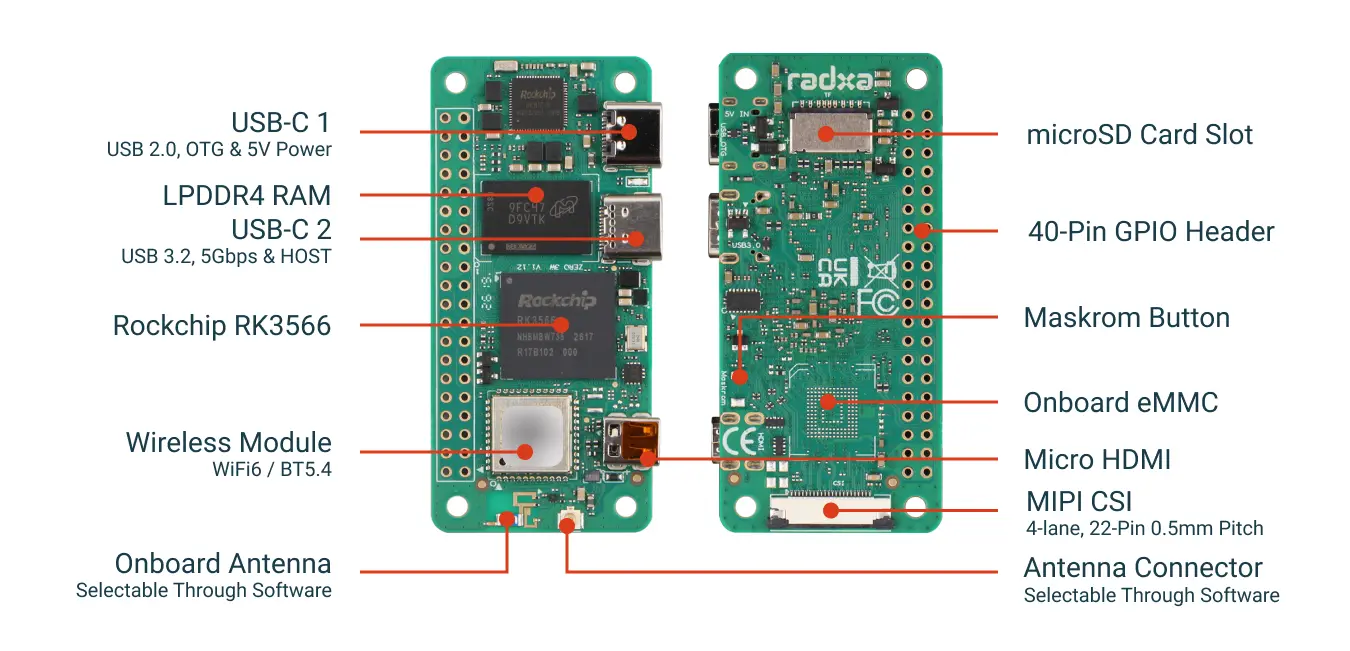
2 GB / no eMMC / with pin headers. An ultra-compact RK3566 single-board computer with WiFi 6 + USB 3.0 + MIPI CSI, suited to IoT and edge computing.
| Item | Specification |
|---|---|
| Processor | RK3566 quad-core Cortex-A55 @ 1.6 GHz |
| GPU | Mali-G52-2EE (Vulkan 1.1 / OpenCL 2.0) |
| Memory | 2 GB LPDDR4 |
| Storage | MicroSD card (no onboard eMMC) |
| Wireless | WiFi 6 + Bluetooth 5.4 |
| Interfaces | USB 3.0 + USB 2.0 OTG (Type-C) |
| Display | Micro HDMI 1080p60 |
| Camera | MIPI CSI (22-pin) |
| Dimensions | 65 × 30 mm · Debian/Ubuntu |
¥385 · Buy now
Radxa Camera 8M 219
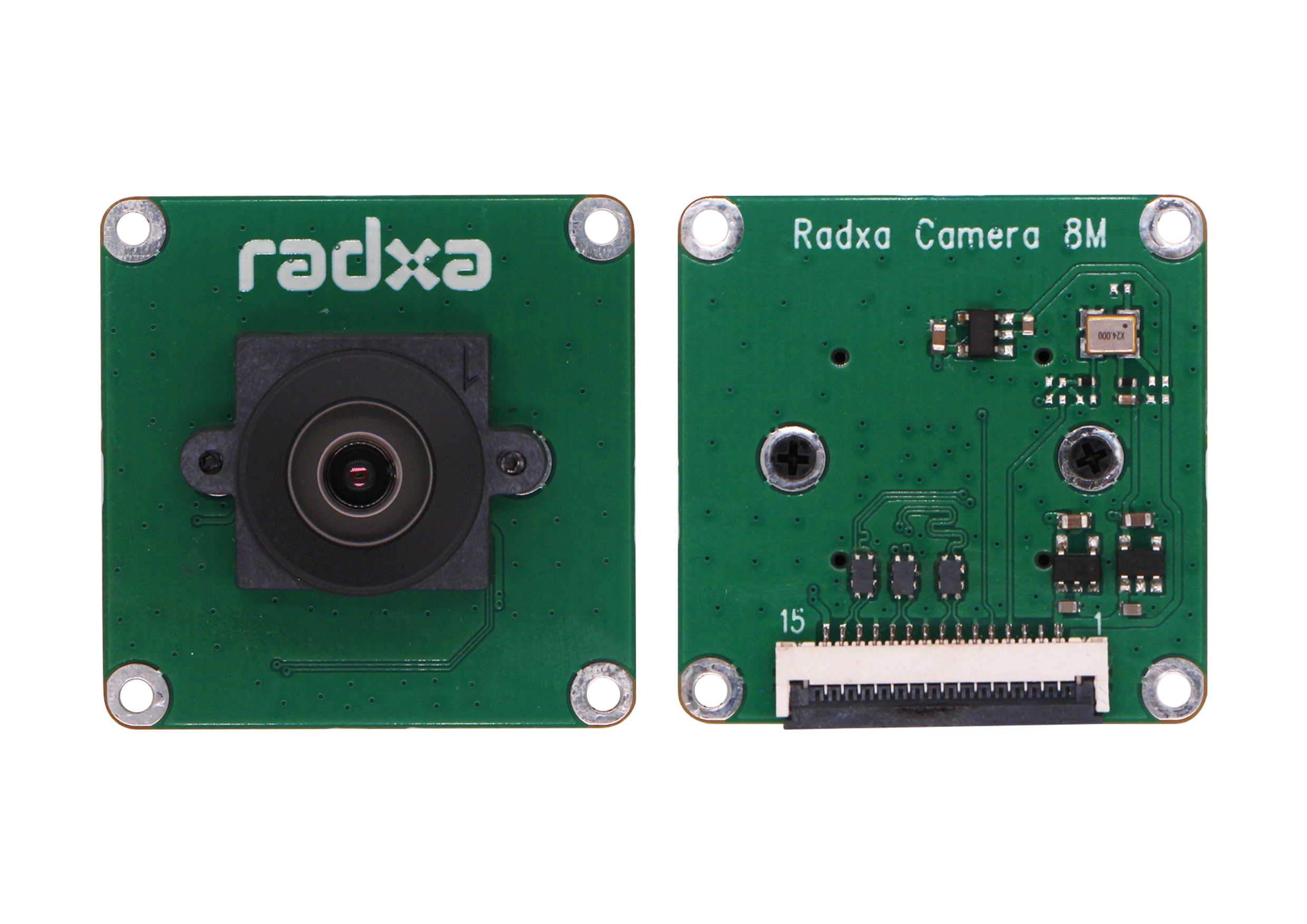
Sony IMX219 · 8 megapixels. A high-resolution camera module whose stock FPC cable matches the ZERO 3W/3E, plug-and-play.
| Item | Specification |
|---|---|
| Sensor | Sony IMX219, 8 MP |
| Resolution | 3280 × 2464 |
| Frame rate | up to 30 fps (full pixel) |
| Lens | focal length 2.95 mm · aperture F2.5 |
| Field of view | D74° H62° V49° · distortion < 0.3% |
| Cable | 150 mm (22-pin, 0.5 mm) |
| Applications | face recognition · license-plate recognition · lane-line recognition |
¥180 · Buy now
Radxa ZERO 3E PoE HAT
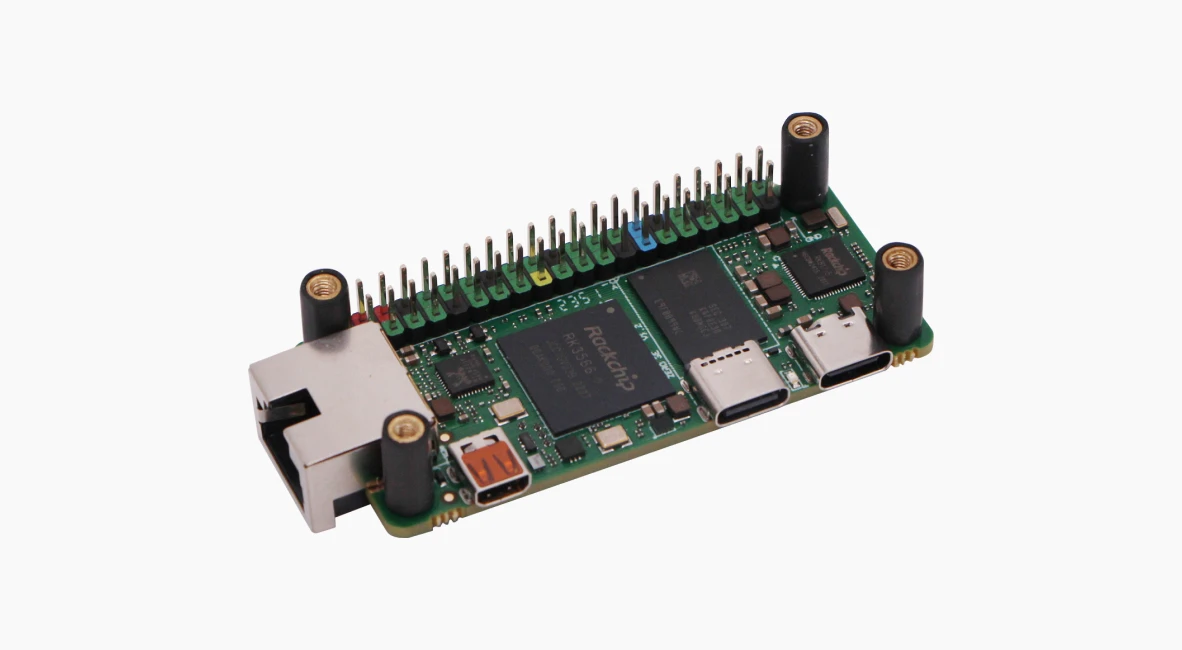
IEEE 802.3af/at. A Power-over-Ethernet expansion board that delivers power and networking over a single cable, simplifying wiring.
| Item | Specification |
|---|---|
| Standard | IEEE 802.3af/at |
| Function | Power + data over a single Ethernet cable |
| Connection | 40-pin GPIO stacking |
| Dimensions | 65 × 30 mm |
| Accessories | standoffs ×4 + screws ×8 |
| Note | requires a PoE switch/router |
¥118 · Buy now
HD-1910-C001 Serial-Bus Servo, 15-Pack
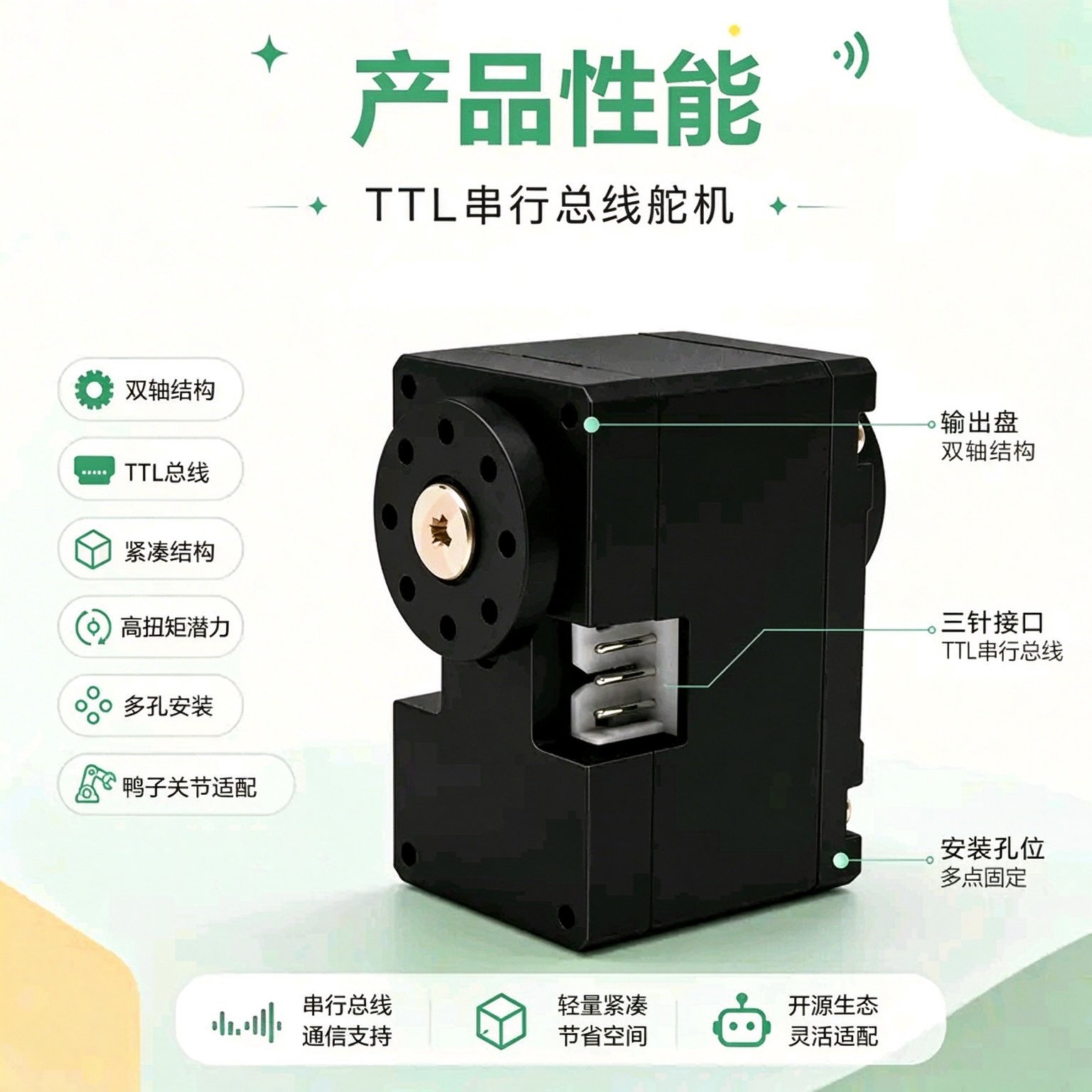
FEETECH coreless serial-bus servo, dedicated for open-source AI, suited to the joints of MicroDuck and other biomimetic robots. 12 kg·cm stall torque at 6 V, 12-bit magnetic-encoder 360° position feedback, TTL bus daisy-chaining (see Introduction: Pollen MicroDuck and Open-Source Embodied Intelligence, Servo and IMU Calibration, and BAM Actuator Modeling and Identification for details).
¥1380 · Buy now
FE-URT2-C001 Debug Board + Cables
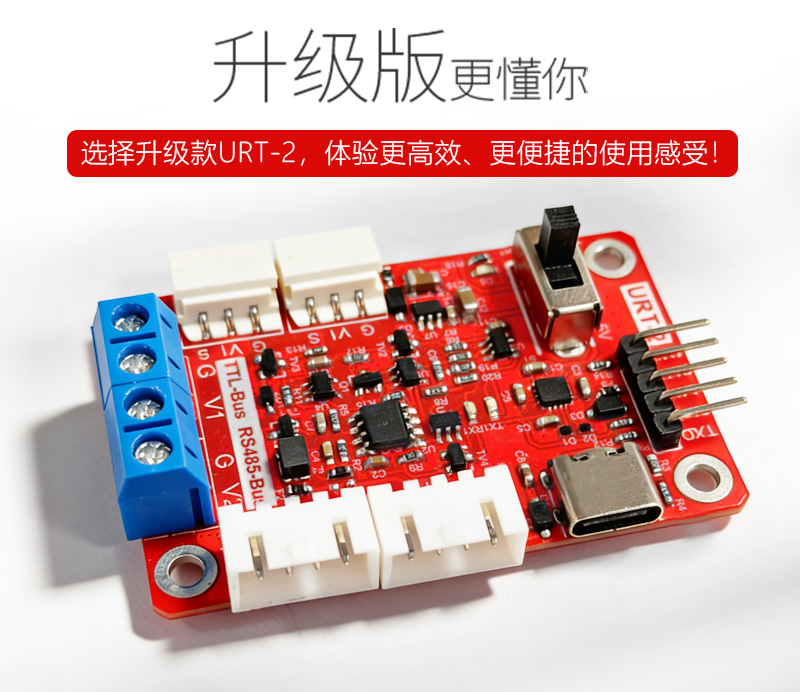
Feetech USB-to-TTL/485 bus debug board (Type-C · 2.54 mm header), with an AMP2.0 dual-ended adapter cable, for servo ID configuration and bus debugging.
¥49.5 · Buy now
VL53L8CX ToF Module
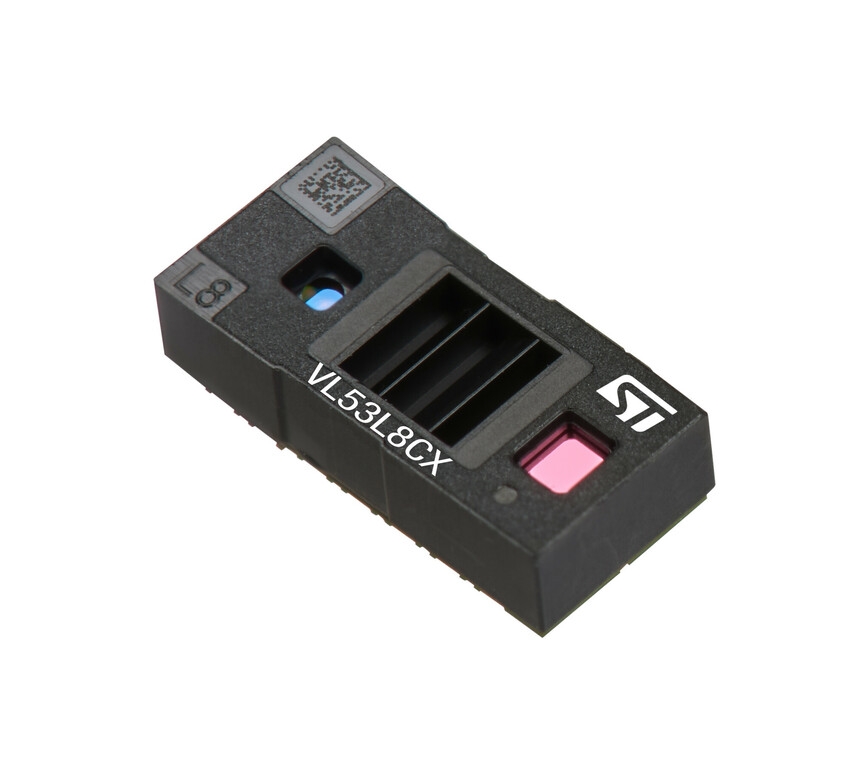
ST 8×8 multi-zone Time-of-Flight ranging sensor: 64-zone simultaneous detection, 65° field of view, range up to 400 cm, enabling obstacle avoidance, gesture recognition, and depth sensing.
¥54.9 · Buy now
Viltrox NP-F550 Battery Pack
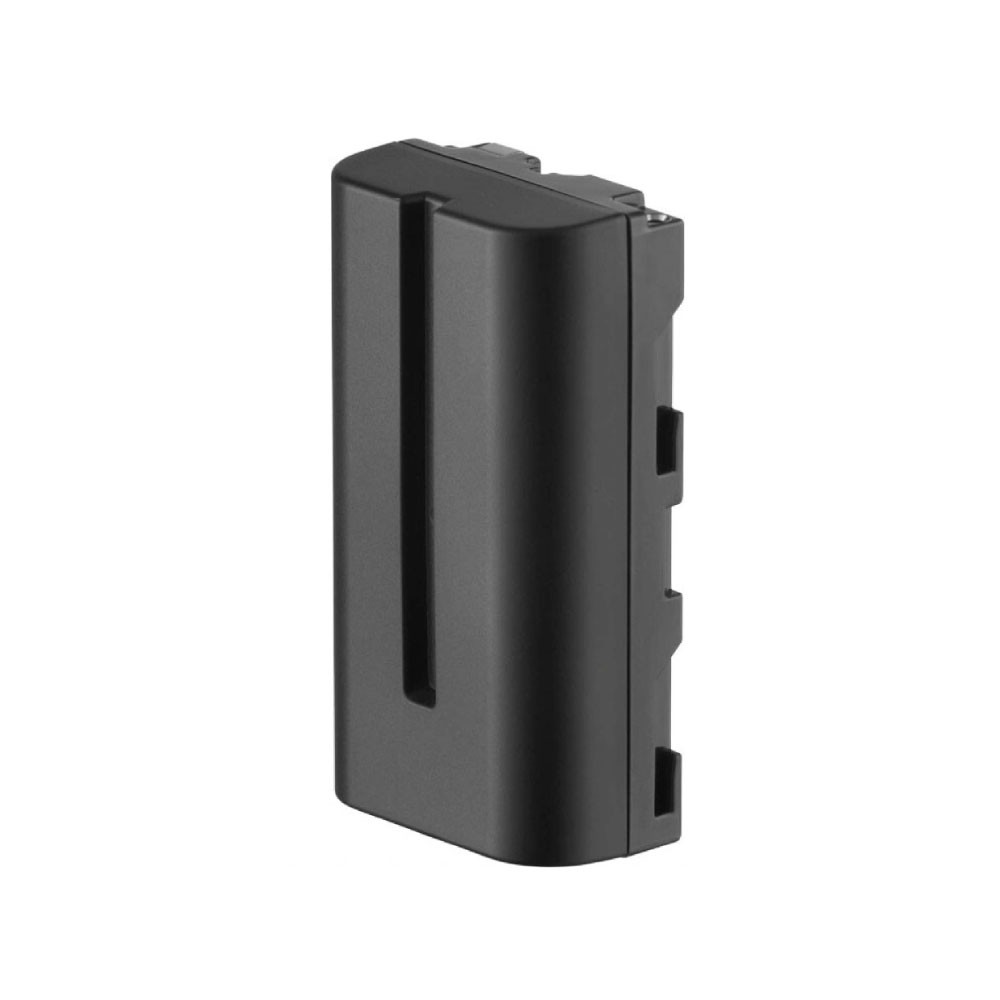
VILTROX NP-F550 lithium battery: 2200 mAh / 7.4 V, USB-C direct charging in ~2 hours, 4-segment LED charge indicator, dimensions 70.7×38.5×25 mm, ~110 g, hot-swappable.
¥49 · Buy now
Speaker Module
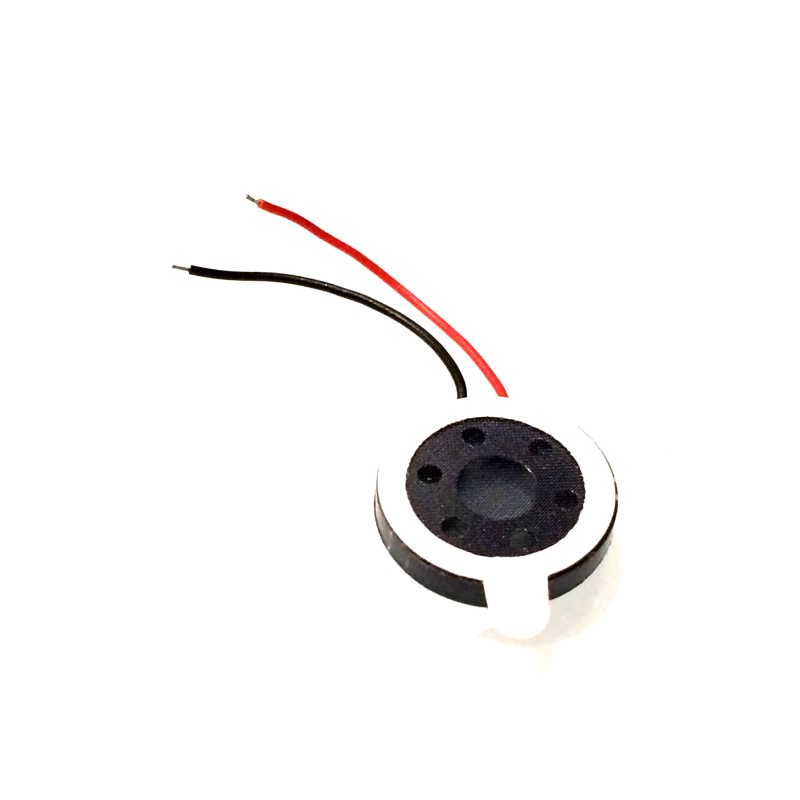
A speaker module that lets the robot duck "speak," supporting voice feedback and alert tones.
¥5.9 · Buy now
EZVIZ 64 GB High-Speed TF Card for Surveillance
EZVIZ 64 GB memory card, a high-speed card dedicated to surveillance and video recording, with 90 MB/s read speed.
¥60 · Buy now
Standard Hardware Kit (bearings · screws · threadlocker · anti-slip pads)
| Contents | Quantity |
|---|---|
| Bearing 10×15×3 | ×3 |
| Bearing 16×22×4 | ×11 |
| Bearing 6×12×3 (roller-skate) | ×4 |
| Self-tapping screw, flat-end M2×5 | ×1 pack |
| Self-tapping screw, flat-end M2×6 | ×1 pack |
| Self-tapping screw, flat-end M2×8 | ×1 pack |
| Self-tapping screw, flat-end M2.5×6 | ×1 pack |
| Self-tapping screw, flat-end M2.5×8 | ×1 pack |
| Loctite threadlocker 243 | ×1 |
| Sole anti-slip pads | ×1 |
¥99 · Buy now
Full-Assembly Service
A one-stop service for kit assembly + first-run debugging. Professional engineers assemble, flash, and verify the first run, so the robot works out of the box — ideal for users who want peace of mind.
¥699 · Buy now
19.2 MicroDuck Domestic-Edition Parts (Coming Soon)
Components and expansion accessories for the open-source bipedal robot duck, friendly to individual developers.
Complete Kit
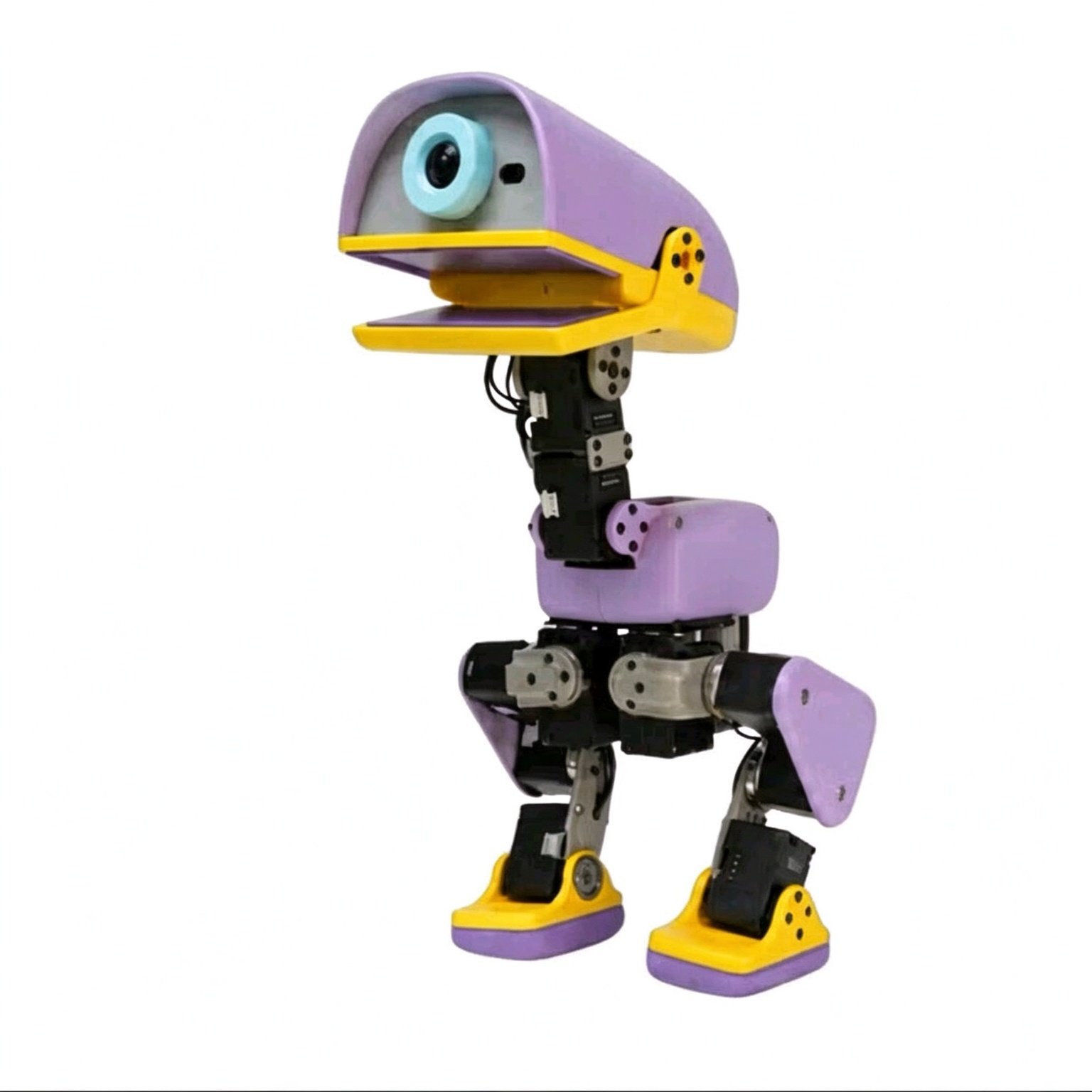
All MicroDuck parts in one package: 3D-printed structural parts, electronics, 15 HD-1910-C001 servos, RK3566 mainboard, and NP-F550 battery pack. Includes a bilingual (Chinese/English) assembly tutorial — from parts to a walking robot duck, assemble out of the box.
¥2580 · Coming soon
3D-Printed Structural Parts Kit
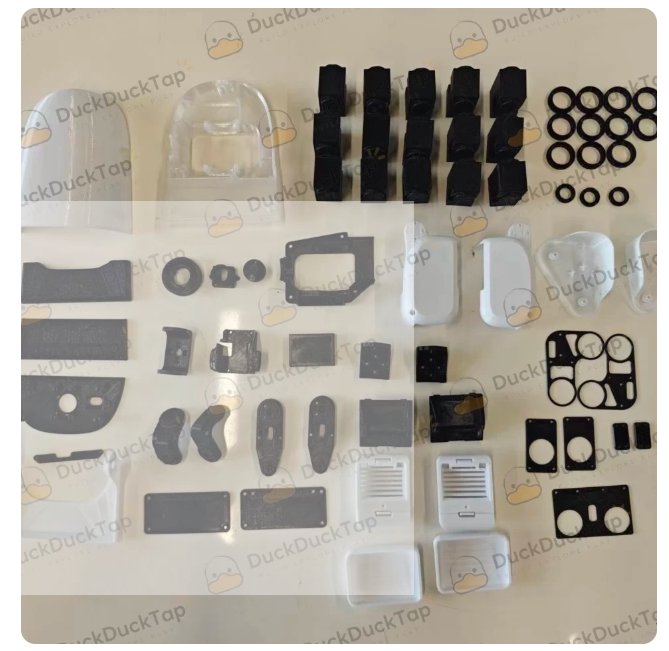
Full shell + skeleton structural parts, with FDM / resin (SLA) options available; all drawings fully open-sourced. A public list of tolerance and interference issues means print-and-assemble with a high success rate.
¥128 · Coming soon
Roller-Skate Kit
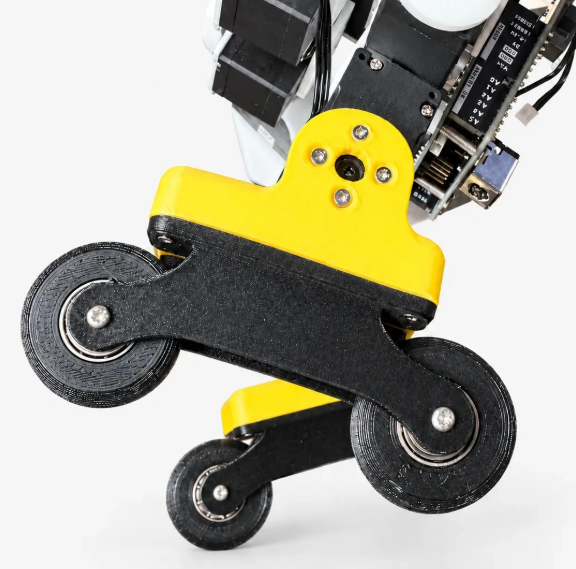
A roller-skate kit that upgrades the robot duck from "walking" to "rolling," unlocking roller behaviors for faster, smoother motion.
¥49 · Coming soon
Game Controller
A Bluetooth controller, playable with zero code. Connect and remotely drive the robot duck to walk and kick a ball — instantly a remote-control toy.
¥79 · Coming soon
Electronics
- imu_to_dxl board: an IMU-to-Dynamixel protocol bridge board, converting attitude data for the microduck-replica open-source solution. Price TBD.
- Banana PCB + banana-plug PCB (gold-plated copper): 2.5 mm banana-plug PCB (gold-plated copper) ×2 + banana PCB (JLC) ×1. Price TBD.
19.3 Coming Soon
| Product | Status |
|---|---|
| Radxa ZERO 3W 1 GB | Coming soon |
| Radxa ZERO 3W 4 GB | Coming soon |
| Radxa ZERO 3W 8 GB | Coming soon |
| Radxa ZERO 3E (gigabit Ethernet version) | Coming soon |
19.4 How to Order
- Click to buy: on the store card, click "Buy now," which auto-fills the selected part;
- Pay via Alipay QR: verify the amount, scan to pay, and record the transfer number;
- Submit the order form: fill in the transfer number and send the order details to customer service; after confirmation, shipping is arranged.
Join the Parts Community Group (ordering / Q&A)
MicroDuck Parts (Mainboard, Servo Group 2) · Order at: https://wwntai.com
Scan with WeChat or WeCom to join.
⚠️ The WeChat group QR code expires automatically after 7 days (this image is valid until 2026-10-31). After expiry, visit https://www.wwntai.com/parts.html for the latest QR code, or open a GitHub issue to update it.
19.5 A Note from the Founder
The MicroDuck Parts Store · For anyone who has hit the same pitfalls
In open-source robotics, the most grinding part is often not the code, but the parts.
A part suddenly goes out of stock, and after two weeks you find it cannot ship; the camera cable you bought doesn't match the mainboard; the servo specs look right, but after installing it you discover the protocol is incompatible; to assemble a full set of fasteners you visit three shops and pay three shipping fees, only to find one screw still missing. We have been through all of this ourselves.
The MicroDuck Parts Store was never a platform we planned from the start; it is more like a shelf gradually forced into existence by those pitfalls. Our capabilities are limited — we can't do everything — so we focus on doing one thing as well as we can: helping individual developers who are reproducing open-source robots avoid one more selection headache and one more wasted trip.
A few things we are working hard to do
- Being upfront about stock status. In-stock parts are marked "ships within 7 days"; coming-soon items are announced in advance, so nobody places an order and then discovers an indefinite wait. Unstable supply is the reality, and we choose to state that reality up front.
- Spelling out compatibility. Which board a camera cable fits, which joint a servo suits, what prerequisites a PoE HAT requires, exactly how many screws of what size are in the hardware kit — we don't hide these details, because developers know better than anyone what one wrong choice costs.
- Showing where quality comes from. Sensor models, servo brands, battery specs, TF-card uses — we publish the key parameters as openly as we can. We don't claim every item is the optimal choice, but at least you know what you are buying.
- Consolidating scattered purchases into one order. The complete kit, structural parts, electronics, standard hardware, and optional accessories are listed together with clear prices and one-click ordering. The full-assembly service is an extra option for those who want peace of mind, not a requirement.
What the store has now
In-stock and orderable today: the Radxa ZERO 3W mainboard, the 8M 219 camera, the PoE HAT, the 15-pack of HD-1910-C001 servos, the debug board, the VL53L8CX ToF module, the NP-F550 battery pack, the speaker module, the 64 GB high-speed TF card, the standard hardware kit, and the full-assembly service.
Coming soon: the MicroDuck domestic-edition complete kit, the 3D-printed structural-parts kit, the roller-skate kit, the game controller, the imu_to_dxl board, the banana-plug PCB, and the ZERO 3W 1 GB/4 GB/8 GB and ZERO 3E gigabit-Ethernet versions. The structural-part drawings are fully open-sourced, and the tolerance-and-interference issue list is public too — a slightly higher reproduction success rate is the sincerity we can offer.
The purchase path is kept simple: click to buy → pay via Alipay QR code → fill in shipping details and the transfer number → copy the order to customer service.
A few honest words
We know this store is still far from perfect. The selection isn't large enough, some parts are still on the way, and customer service may not always be on call. But it has been built up piece by piece around real reproduction scenarios, and every parameter, every image, and every "coming soon" came from a concrete problem we hit while building our own machines.
If, during purchasing or assembly, you find something written wrong, something missing, or something that could be clearer, please tell us directly. Individual developers already have a hard enough time doing hardware; if this little shelf can save you a bit of time, that is the meaning of what we do.
—— Chi Ching Ip (Henry Ip), CEO of WWNT Robotics
The MicroDuck Parts Store — we are still learning, and we'll try our best not to let those who come later step into the same pit again.
BOM Procurement List
Complete bill of materials, with recommended procurement channels and alternative substitutes. Prices are reference only and fluctuate with the market.
B.1 Core Electronics
| Part | Spec | Qty | Reference unit price | Procurement advice |
|---|---|---|---|---|
| Servo | Feetech HD1910 (dual-shaft magnetic-encoder TTL) | 14–15 | low–mid | Feetech official / authorized distributor |
| Mainboard | RK3566 board | 1 | mid | authorized channel |
| IMU | MPU6050 / ICM20948 | 1 | low | generic module |
| Battery | 2S/3S lithium | 1 | low | pair with BMS |
| BMS | lithium protection board | 1 | low | with low-voltage / over-current protection |
B.2 Structure and Fasteners
| Part | Spec | Qty | Notes |
|---|---|---|---|
| 3D-printed parts | PLA | 1 set | 20%–40% infill |
| M2 screws | several | servo-horn fastening | |
| M3 screws | several | structural fastening | |
| Washers / bearings | several | friction reduction, positioning |
B.3 Wiring and Miscellaneous
| Part | Notes |
|---|---|
| Servo TTL bus cable | daisy-chains 15 servos; use shielded cable to reduce interference |
| Thick power wire | servo power, from BMS |
| Cable ties / heat-shrink | wiring fixation |
B.4 Tiered Procurement Advice
Three tiers by budget:
| Package | Contents | Purpose |
|---|---|---|
| Minimal simulation package | GPU computer only | run simulation, no hardware needed |
| Hardware-in-the-loop package | RK3566 + IMU + a few servos | validate bus / calibration |
| Full machine package | full BOM | complete assembly and deployment |
It is recommended to first procure the hardware-in-the-loop package to validate bus communication and calibration, then move to the full machine, reducing one-time investment risk.
B.5 Cost Comparison (Reference)
| Plan | Main cost |
|---|---|
| Original MicroDuck | 399 USD + forwarding/customs |
| Domestic Feetech full machine | servo + board + printing + misc., significantly lower |
The domestic solution's core value is low cost + domestic supply + controllability; concrete numbers fluctuate with procurement channels, and the book's main text defers to actual purchases.
Troubleshooting Handbook
A quick reference to troubleshooting across the book, indexed by symptom. Each entry gives the most likely cause and the corresponding chapter.
C.1 Simulation-Side Faults
| Symptom | Likely cause | Handling | Chapter |
|---|---|---|---|
| Simulation crash / numerical explosion | MJCF unit error / non-positive-definite inertia | check units, validate_mjcf.py | Automated Onshape→MJCF Modeling |
| Falls immediately on startup | wrong center of mass / inertia | re-check CAD→MJCF | Automated Onshape→MJCF Modeling |
| Violent joint jitter | mismatched BAM parameters | re-calibrate on the bench | BAM Actuator Modeling and Identification |
| CUDA out of memory | num_envs too large | reduce num_envs | The MuJoCo-Warp Simulation Environment |
| Training not converging | sparse reward / poor learning rate | tune reward, lower LR | PPO Multi-Task Training |
| Action divergence | missing action/smoothing penalty | add penalties | PPO Multi-Task Training |
C.2 Hardware-Side Faults
| Symptom | Likely cause | Handling | Chapter |
|---|---|---|---|
| A servo doesn't respond | ID conflict | reconfigure the ID | Hardware Circuits and the TTL Bus |
| Random bus packet loss | signal interference | lower baud rate, add isolation | Hardware Circuits and the TTL Bus |
| Freezes on power-on | insufficient power / short | separate power, test one by one | Hardware Circuits and the TTL Bus |
| Position drift | supply voltage sag | check BMS, wire gauge | Hardware Circuits and the TTL Bus |
| Gait jitter | inaccurate BAM / control-loop timeout | re-calibrate / optimize inference | BAM Actuator Modeling and Identification, 14 |
| Attitude slowly tilting | IMU bias / mounting tilt | six-face calibration / compensate tilt | Servo and IMU Calibration |
| Frequent falling | observation scaling misaligned | check_obs_act_space.py | RK3566 Image and Firmware, 14 |
C.3 Sim2Real Difference Troubleshooting (Priority Order)
| Priority | Check item | Tool |
|---|---|---|
| 1 | Observation-space consistency | check_obs_act_space.py |
| 2 | Joint-limit alignment | MJCF vs. hardware |
| 3 | IMU bias / mounting | six-face calibration |
| 4 | BAM parameter accuracy | bench fitting |
| 5 | Whole-machine mass / center of mass | weighing vs. CAD |
Principle: change only one variable at a time and record each result, avoiding the inability to locate the cause from changing multiple factors at once.
C.4 Mechanical-Side Faults
| Symptom | Likely cause | Handling | Chapter |
|---|---|---|---|
| Servo horn slipping | insufficient interference | replace horn / add adhesive | 3D Printing, Assembly, and Tolerances |
| Joint seizure | print interference | correct CAD clearance | HD1910 CAD Model Analysis |
| Center-of-mass offset | asymmetric assembly | check left-right consistency | 3D Printing, Assembly, and Tolerances |
| Printed part fracture | insufficient wall thickness/infill | thicken, raise infill | 3D Printing, Assembly, and Tolerances |
Glossary
| Term | Full name / explanation | Chapter |
|---|---|---|
| Sim2Real | Simulation-to-Real transfer, the core paradigm | throughout |
| BAM | Bandwidth-Aware Motor, a bandwidth-aware servo actuator model | BAM Actuator Modeling and Identification |
| MJCF | MuJoCo robot-modeling file format | Automated Onshape→MJCF Modeling |
| PPO | Proximal Policy Optimization algorithm | PPO Multi-Task Training |
| Domain Randomization | randomly perturbing simulation parameters during training | Domain Randomization |
| Curriculum Learning | progressing training from easy to hard | Domain Randomization |
| ONNX | Open Neural Network Exchange, a model-interchange format | PPO Multi-Task Training, 14 |
| MuJoCo-Warp | NVIDIA GPU-parallel physics simulation | The MuJoCo-Warp Simulation Environment |
| mjlab | Pollen's in-house robotics simulation library | The MuJoCo-Warp Simulation Environment |
| TTL bus | half-duplex serial communication bus (used by servos) | Hardware Circuits and the TTL Bus |
| Backlash | hysteresis caused by gear clearance | BAM Actuator Modeling and Identification |
| Randomization intensity | the range of the randomly perturbed parameters | Domain Randomization |
| Sim2Real gap | the dynamics gap between simulation and reality | Simulation Debugging and Diagnostics, 15 |
| System identification | inversely identifying true parameters | The Sim2Real Closed-Loop Iteration |
| RKNN | RK-platform neural-network inference toolkit | RK3566 Image and Firmware, 14 |
| BMS | Battery Management System | Hardware Circuits and the TTL Bus |
| onshape-to-robot | CAD→MJCF automatic export tool | Automated Onshape→MJCF Modeling |
| Observation space | the sensor-data vector fed to the policy | The MuJoCo-Warp Simulation Environment, 12 |
| Action space | the control-command vector output by the policy | The MuJoCo-Warp Simulation Environment, 12 |
References and Project Index
E.1 Open-Source Projects
| Project | URL |
|---|---|
| Pollen microduck_rl | https://github.com/pollen-robotics/microduck_rl |
| Pollen microduck (firmware) | https://github.com/pollen-robotics/microduck |
| Pollen mjlab | https://github.com/pollen-robotics/mjlab |
| fanhao375 microduck-replica | https://github.com/fanhao375/microduck-replica |
| fanhao375 microduck-replica-cad | https://github.com/fanhao375/microduck-replica-cad |
| UnitClaw microduck-wwduck (WWNTRobotics-optimized edition) | https://github.com/UnitClaw/microduck-wwduck |
| LuwuDynamics xgoduck_hardware | https://github.com/LuwuDynamics/xgoduck_hardware |
| onshape-to-robot | https://github.com/onshape-to-robot/onshape-to-robot |
| NVIDIA Warp | https://github.com/NVIDIA/warp |
E.2 Official Pages and Documentation
| Content | URL |
|---|---|
| MicroDuck product page | https://pollen-robotics.com/microduck/ |
| MicroDuck pre-order store | https://store.pollen-robotics.com/products/microduck |
| HF online simulation | https://huggingface.co/spaces/pollen-robotics/microduck-simulator |
| onshape-to-robot docs | https://onshape-to-robot.readthedocs.io/ |
| Onshape | https://cad.onshape.com/ |
| Warp docs | https://nvidia.github.io/warp/ |
| MJCF docs | https://mujoco.readthedocs.io/en/latest/modeling.html |
| FreeCAD | https://www.freecadweb.org/ |
| Feetech HD1910 product page | https://www.feetech.cn/500263.html |
| HD1910 XGO-Duck kit | https://www.feetech.cn/en/509038.html |
E.3 Foundational Literature (for citation)
The following are classical methodological references; verify the exact entries before citing during writing.
- PPO: Schulman et al., Proximal Policy Optimization Algorithms.
- Domain Randomization: related work by NVIDIA's Tobin et al.
- BAM servo model: Pollen MicroDuck technical papers / blog posts.
- Low-cost bipedal Sim-to-Real: Pollen MicroDuck technical paper.
Writing convention: on formal publication, verify DOI / volume / page numbers for all references; cite sources when quoting in the main text, and do not erase original authorship.
E.4 Reference-Material Archive
All original material for this book is archived in the repository's book/materials/, organized into subdirectories:
pollen_original/: original RL, firmware, blog, papers;replica_source/: microduck-replica source snapshot;cad/: CAD drawings, STEP, Onshape config;feetech_hd1910/: servo specs, protocol, calibration docs;hardware/: RK3566, IMU, power;framework_docs/: MuJoCo-Warp, mjlab, PPO;scripts/: companion scripts;references/: literature and terminology.
Note: some external resources cannot be downloaded and packaged directly; the archive provides access link + acquisition method + key notes instead. The complete HD1910 PDF datasheet and serial-protocol documents must be requested from Feetech customer service.
Acknowledgments
This book is the product of community collaboration. It stands on the shoulders of many open-source authors and manufacturers; without their generous sharing, this full-stack engineering practice for low-cost domestic bipedal robots would not exist. We extend our sincere thanks to each of them here.
About WWNT Robotics
This book is written and maintained by WWNT Robotics (full name: "Guangdong WWNT Robotics Co., Ltd.").
WWNT Robotics is a company focused on embodied intelligence and AI-robotics education. Adhering to the principle of "open-source-driven, full-stack empowerment," it operates along two tracks:
- Domestically: industry–education integration for university AI/robotics programs, offering one-stop solutions spanning hardware, open-source curricula, training laboratories, campus large language models, and "factory-in-school";
- Internationally: expanding into the North American market, exporting robot platforms and joint modules.
The company was co-founded by founder Chi Ching Ip (Henry Ip) and co-founder Yan Chaolei. Its open-source ecosystem is hosted under the GitHub UnitClaw organization, and its official websites are wwntai.com (domestic) and wwnt.ai (international).
This book is one of the embodiments of that philosophy: it organizes the process of replicating an overseas commercial product into a reproducible, low-cost engineering book, made freely available to university faculty and students, laboratory engineers, and open-source-hardware enthusiasts.
Acknowledgments
Pollen Robotics
Thanks to Pollen Robotics for open-sourcing MicroDuck, mjlab, and microduck_rl, and for making the complete technical route of a Sim2Real reinforcement-learning bipedal robot available to the community. The mechanical structure, simulation models, and training paradigm of this book all derive from their open-source work.
Note: this project is a third-party replication study of MicroDuck. It has no affiliation with Pollen Robotics and has not received its endorsement.
Hugging Face
Thanks to Hugging Face for its open platform and robotics ecosystem — MicroDuck is an open-source project of Pollen Robotics, its in-house robotics team, and the online simulator (HF Spaces) and related training toolchain also run on the Hugging Face open community. It is this openness that makes "watching the robot duck walk in the cloud" and "reproducing the training locally" possible.
Feetech
Thanks to Feetech for providing the HD-1910 serial-bus servo hardware and its official technical documentation. It is this high-value domestic servo that gives MicroDuck a "half the price, 2.5× the torque" domestic alternative, and that gives this book's BAM bench identification a real calibration target.
fanhao375
Thanks to @fanhao375 — the original author of this project. The reverse-engineering research, assembly drawings, exploded views, hardware analysis, and documentation were initially completed by him (original repository: fanhao375/microduck-replica). This book and its companion repository build on his foundation.
机械行者Robo
Thanks to 机械行者Robo — who organized the SolidWorks drawings, the assembly BOM, and the assembly videos. He made the journey "from parts to a walking robot" genuinely approachable and reproducible.
kissqy
Thanks to kissqy — a key contributor to the Feetech HD-1910 adaptation (training controller, IMU gyroscope fusion, etc.). His controller is subject to personal non-commercial terms; this book and its repository respect that agreement and do not include his controller modifications.
LuwuDynamics and Rhoban
Thanks to LuwuDynamics for sharing the 1910 M6 BAM parameters and companion configuration, which serve as the baseline for this book's simulation training; and thanks to Rhoban for open-sourcing the BAM actuator model and identification library, which provides the theoretical tools for servo modeling.
All Open-Source Community Developers
Thanks to every developer who provided feedback, corrections, and suggestions in GitHub Issues, Pull Requests, and community discussions. The meaning of open source lies precisely in this "many hands" collaboration.
Build It Together
This book and its companion repository are still young and inevitably contain errors and omissions. With humility, we invite you to make them better:
- If you find errors or unclear wording, please open an Issue;
- If you have improvements or additions, please submit a Pull Request;
- If you have reproduced the result successfully or hit pitfalls, please share your experience back with the community.
Please respect the licensing boundaries of each part (code under Apache-2.0, mechanical CAD and documents under CC BY-NC-SA; see NOTICE). The domestic open-source ecosystem for low-cost bipedal robots needs everyone's participation. Together, let us make "bringing the robot dream to life" more inclusive and more open.
—— WWNT Robotics
Copyright and Disclaimer: The copyright in this book belongs to Guangdong WWNT Robotics Co., Ltd. (Copyright © WWNT Robotics). This book is an open-source engineering-practice record, and some technical material has not been fully validated on physical hardware; WWNT Robotics assumes no responsibility for replication failures, property loss, personal injury, or any infringement dispute arising from unauthorized commercialization. For the complete statement, see the "Copyright and Disclaimer" section of the Preface.